Industries

Construction Training Management Software

Upskill your team, manage your training operations, and automate manual training processes, all in one easy-to-use platform.

Swagelok brand logo in blue cursive lettering.Text logo with 'ARGYLL' in large orange uppercase letters above 'RUANE' in large dark maroon uppercase letters.Crane Institute of America logo with a red crane hook and text reading '35 Years'.University of British Columbia logo with shield containing a stylized open book and wavy lines.CLEARN logo with an orange and blue design and the tagline 'Enabling scientific learning.'

All the course management features you need

Upload existing or create new training courses and publish to your website at the click of a button. Course templates pre-fill key information for quick scheduling of repeat courses that re-run on multiple dates and locations.
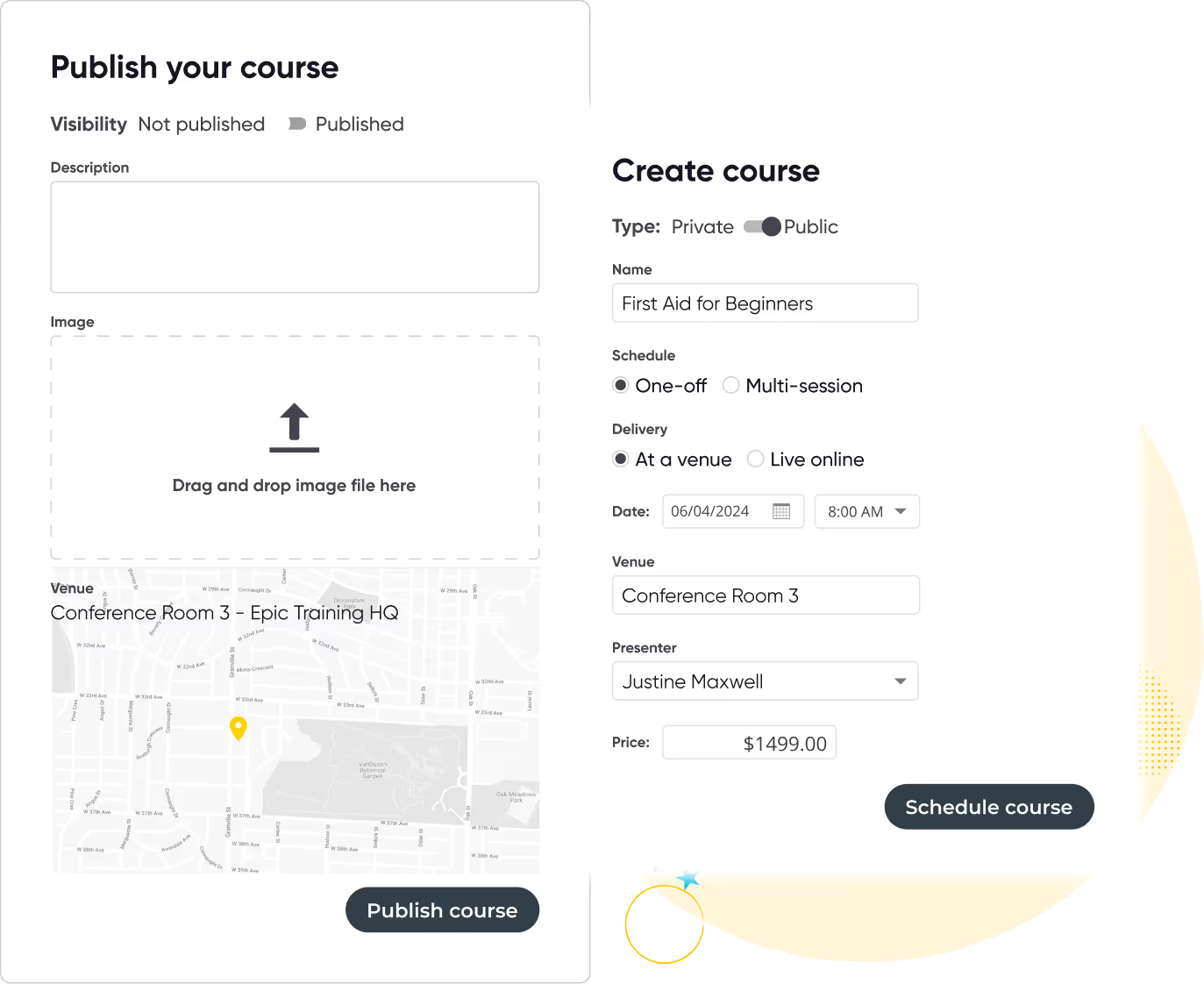

User interface showing two forms for creating and publishing a course titled 'First Aid for Beginners' with options for visibility, type, schedule, delivery, date, venue, presenter, price, and image upload.
Curved yellow line looping with white and black stars around the loop on a black background.
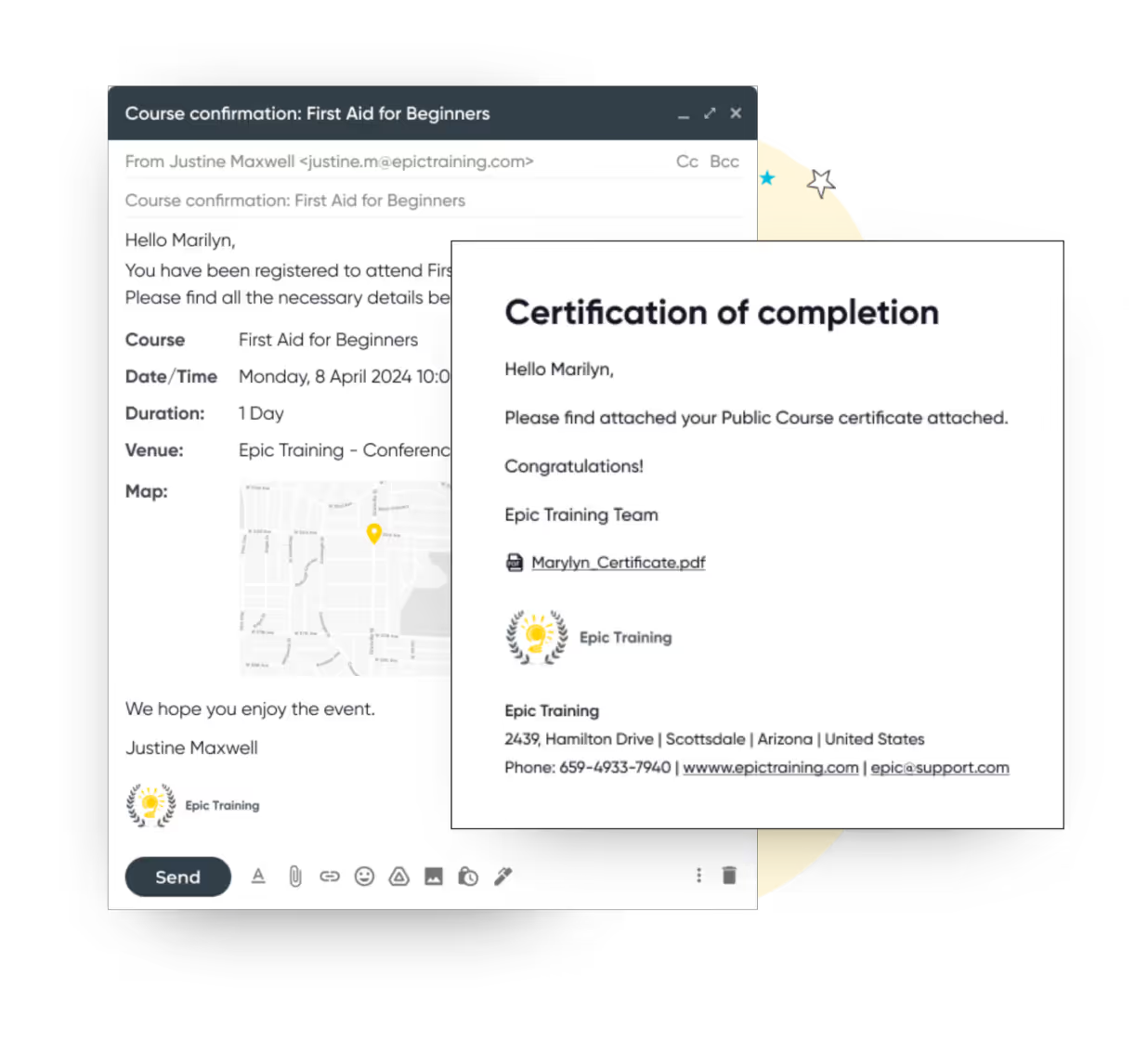
Email confirmation for a First Aid for Beginners course registration and a certificate of completion email with a PDF attachment from Epic Training.

Keep all certificates up to date and ensure compliance

Create, format, or upload certification templates to customize and manage your certificates. Use Arlo’s templates to quickly create new certificates, and save or copy them for future use.

Arlo automates renewal reminders for expiring certifications and licenses, tracks renewals, and maintains comprehensive records—including scanned documents and approval history—to ensure compliance and facilitate straightforward audits.

Three construction workers wearing yellow helmets and safety vests attentively taking notes on clipboards indoors.

Doing this huge volume of training has been made much easier thanks to Arlo

Ally Bodnar, Training Manager
Independent Contractors and Businesses Association
Read case study

Course registrations and payments made easy

Automate the entire registration workflow with customizable forms, flexible payment options and smart invoicing. Use waitlists, discounts, and registration rules for private and public courses.
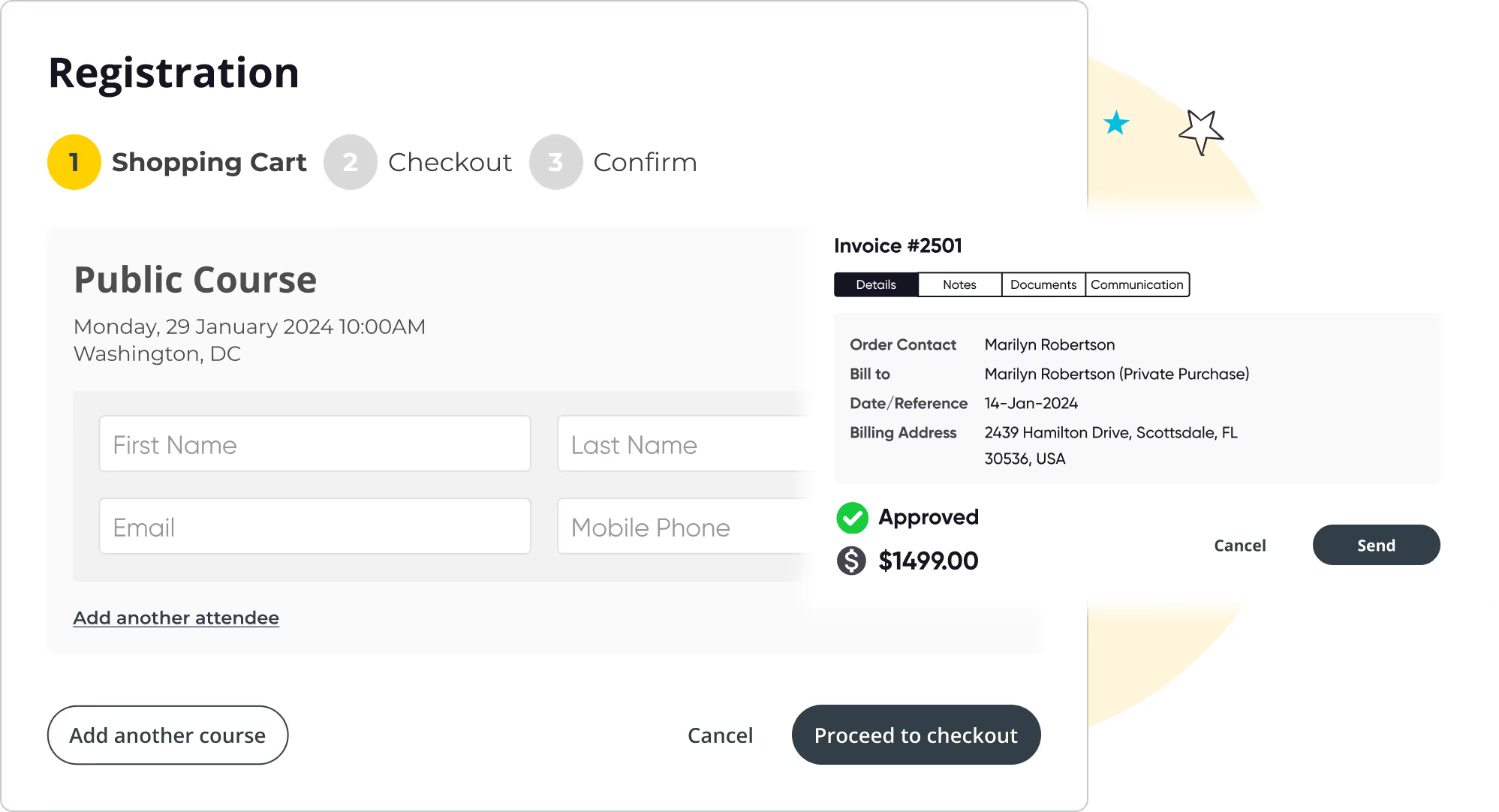
Registration form showing Shopping Cart step for a Public Course on January 29, 2024, in Washington, DC with fields for first name, last name, email, and mobile phone, plus options to add attendees or courses, and a sidebar invoice for $1499 approved for Marilyn Robertson with billing details.
Curved yellow line looping with white and black stars around the loop on a black background.
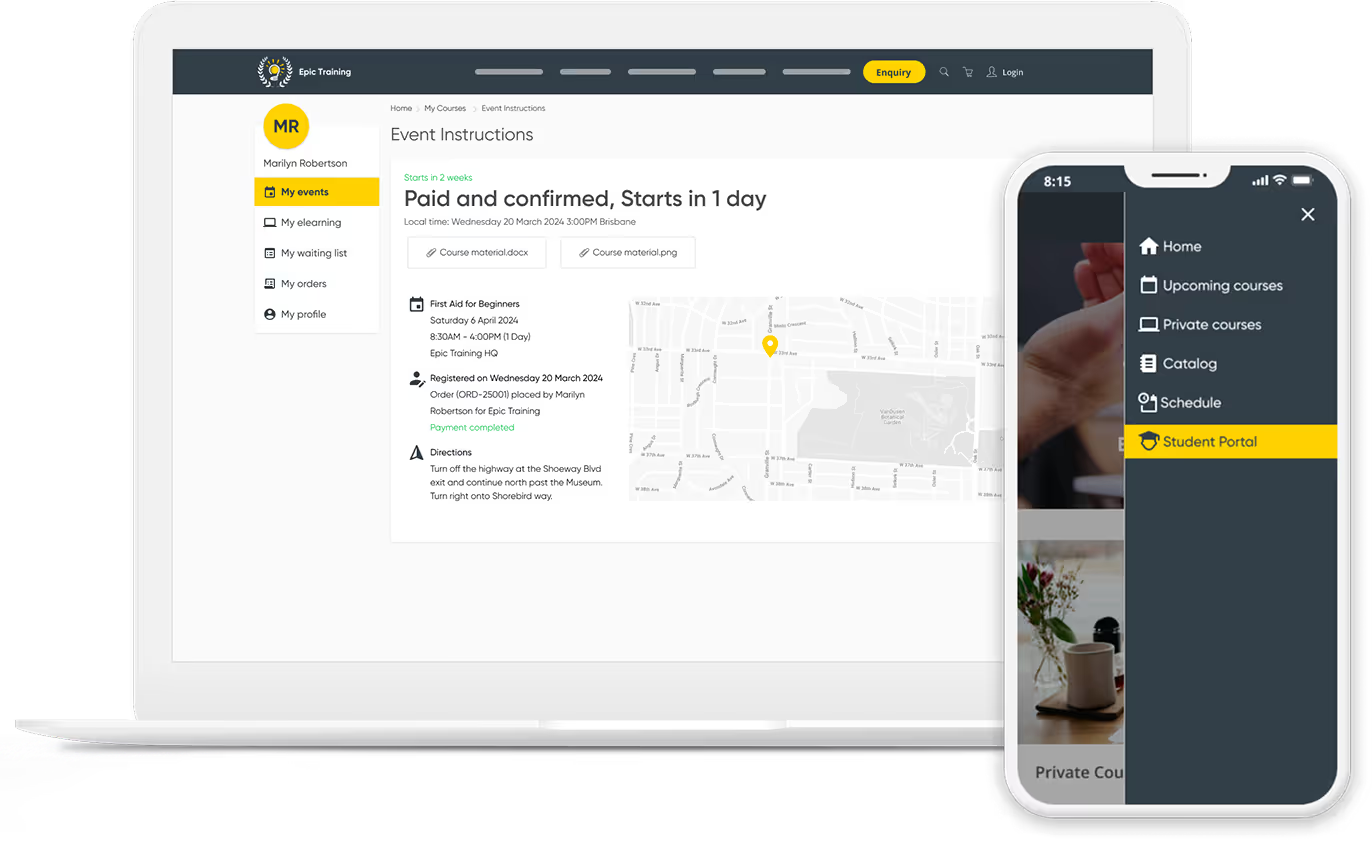
Laptop and smartphone showing a self-service customer portal with event details, course materials, and navigation menu including Student Portal highlighted.

Enable self-service with a branded customer portal

Create a branded customer portal to allow participants to efficiently register for courses, manage their profiles, view training details, update or cancel bookings, track certification renewals, and make payments, including partial ones.

375K
Courses scheduled
7.5M
People trained
9.7M
Hours of admin saved
100M
Emails sent
$3B
Worth of training sold

Ready to transform your instructor-led training?

Start your 14-day free trial now. No credit card required. Unlimited users.

Thanks, we will get back to you shortly.
Oops! Something went wrong while submitting the form.

Other features you will love

Run your training business like a pro with Arlo’s purpose-built training management software.

Integrated Course Certificates & Learner Surveys

Automatically issue personalized certificates upon course completion and collect valuable feedback with surveys, helping you measure success and improve your offerings.

Icon of two documents with a yellow bar chart and a calculator with yellow display.

Real-Time Dashboards & Reporting

Track registrations, payments, course performance, and marketing effectiveness in one easy-to-use dashboard. Make data-driven decisions to grow your training business.

Computer monitor displaying a user profile icon with a yellow background.

Customer Self-Service Portal

Empower your learners with a branded portal to manage their registrations, view upcoming courses, access course materials, and download certificates — all with secure logins and autofill convenience.

Yellow and black megaphone icon.

Marketing & SEO Tools

Promote your live training effectively using Arlo’s built-in marketing features. Run targeted campaigns, offer discounts, optimize your website for SEO, and outrank competitors to drive more traffic and registrations.

Yellow gear icon symbolizing settings on a dark background.

Presenter Mobile Access for Attendance & Results

Give presenters mobile tools to mark attendance and record results directly from their phones. No chasing paperwork or manual entry, updates sync instantly to Arlo and can trigger automatic certificate issuance, saving admin time and improving accuracy.

Integrated Task Management for Pre & Post-Course Workflows

Create reusable task sets tied to course schedules and auto-assign them to staff with due-date logic. Team members are notified automatically, so you can manage logistics, from setup to follow-up, without relying on separate tools or emails.

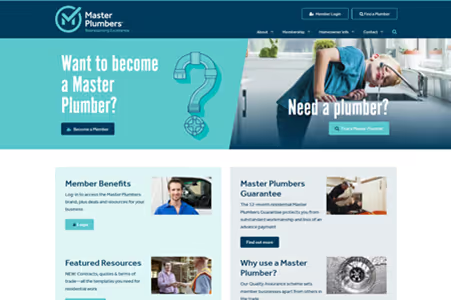
Construction & Trades website examples

Connecting Arlo to your website is easy. Check out some examples from other businesses in your industry below who use Arlo!

Training Management System

Get the ultimate guide to training management systems

Running training courses? Access our Ultimate Guide to get the full breakdown of its strengths.

Read the guide

Construction & Trades Training Management Software FAQs

Start 14-day trial
What types of software are used in the construction industry to help deliver training?
Grey Dropdown Icon

There’s a variety of different types of software used in the construction industry to deliver training, including:

Training Management Software (TMS): A TMS like Arlo helps associations plan, execute, and track training programs. It includes features for scheduling training sessions and courses, managing trainers, tracking attendance, and measuring training effectiveness. Unlike a LMS, which focuses on delivering and managing online learning, TMS often handles the logistical aspects of training delivery, including in-person sessions.

Compliance management software: Systems designed to ensure construction workers and companies adhere to industry regulations and standards, including safety training and certifications.

Collaboration and communication tools: Platforms like Zoom to enable the delivery of live online training, and to help create training tailored to different learning paths.

What are the most common types of training delivered within construction companies?
Grey Dropdown Icon

Construction companies typically deliver several types of training, including:

  • Safety training: Focuses on ensuring employees understand and adhere to safety procedures, protocols and regulations to prevent accidents and injuries on construction sites.
  • Career development/Professional development: Includes training aimed at skill improvement, leadership development, and career progression to support professional growth within the industry.
  • Technical training: Covers specific skills related to construction techniques, equipment operation, and project management.
  • Compliance training: Ensures that employees are up-to-date with industry regulations, standards, and legal requirements.

Soft skills training: Includes training on communication, teamwork, and problem-solving to improve overall job performance and interpersonal skills.

How can training management software improve the efficiency of construction training programs?
Grey Dropdown Icon

Training Management Software improves the efficiency of construction training programs in several ways:

  • Streamlined course scheduling and management: A TMS simplifies course management processes such as scheduling training sessions, signing up participants, allocating resources, and managing trainer availability, reducing administrative overhead.
  • Automated notifications: The software can send automated reminders and notifications to participants and trainers, ensuring that everyone stays informed about upcoming sessions and deadlines.
  • Centralized administration: It provides a centralized platform for managing all training-related activities, including registrations, attendance tracking, and certification renewals.
  • Real-time analytics: Offers real-time analytics and reporting on training participation and performance, helping managers make data-driven decisions and optimize training programs.

Website integration capabilities: TMS platforms like Arlo can integrate with your website to help drive course sign ups, improve conversions, and grow your traffic.

Improved communication: Facilitates communication between trainers and trainees through integrated messaging and feedback tools, improving engagement and support.

Let's chat Health & Safety training.

We get training. With over 16+ years experience, our global team of experts are here to help you every step of the way.

Talk to our expert team

Seven diverse people standing in a row, one holding a large yellow circle with 'arlo' written on it, with decorative stars and a 'POW!' graphic in the background.