Streamline your public & private registration workflow across any format with flexible forms, automated invoicing and a self-service portal for learners.


Create professional registration forms that convert. Utilize templates or create one-off forms that are easy to set up, highly customizable and support public and private workflows.
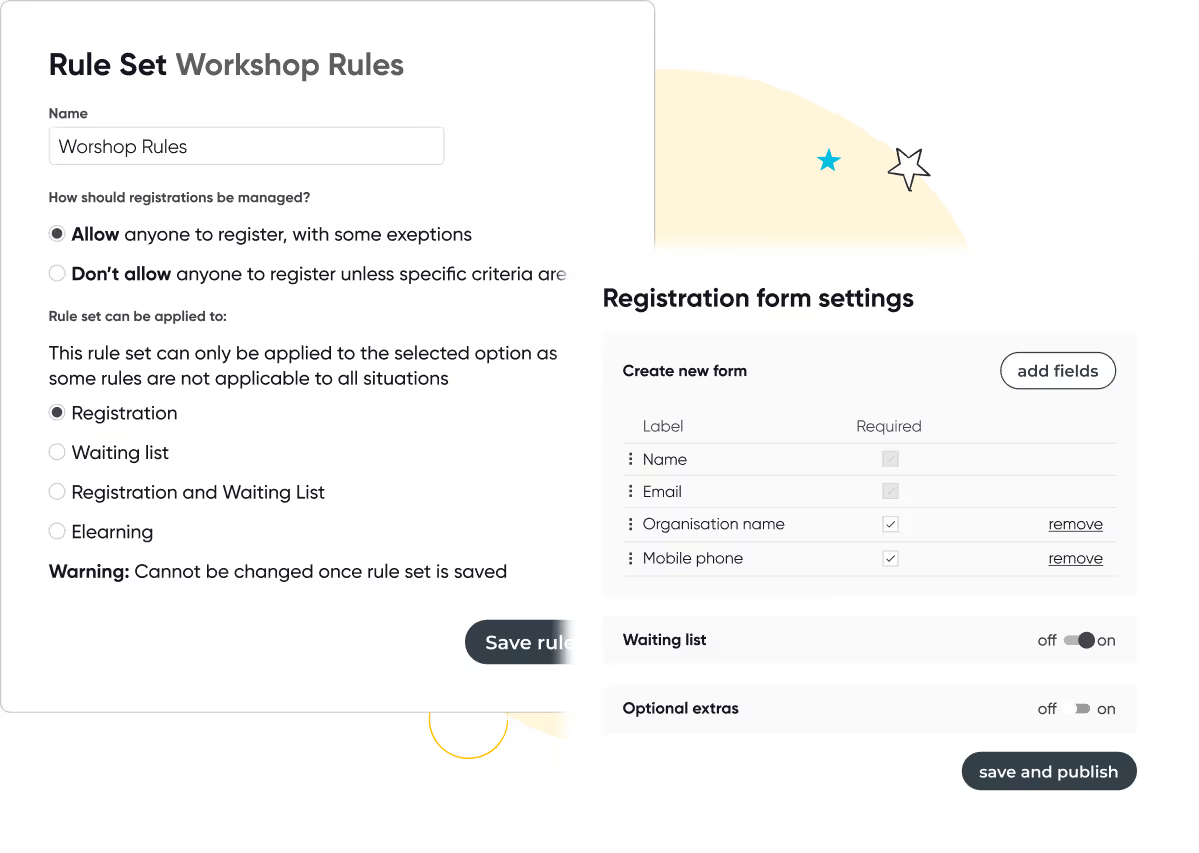

Manage the entire payment process with ease. Automatically create and send invoices, track payments, and add checkout options such as partial payments, discounts and vouchers

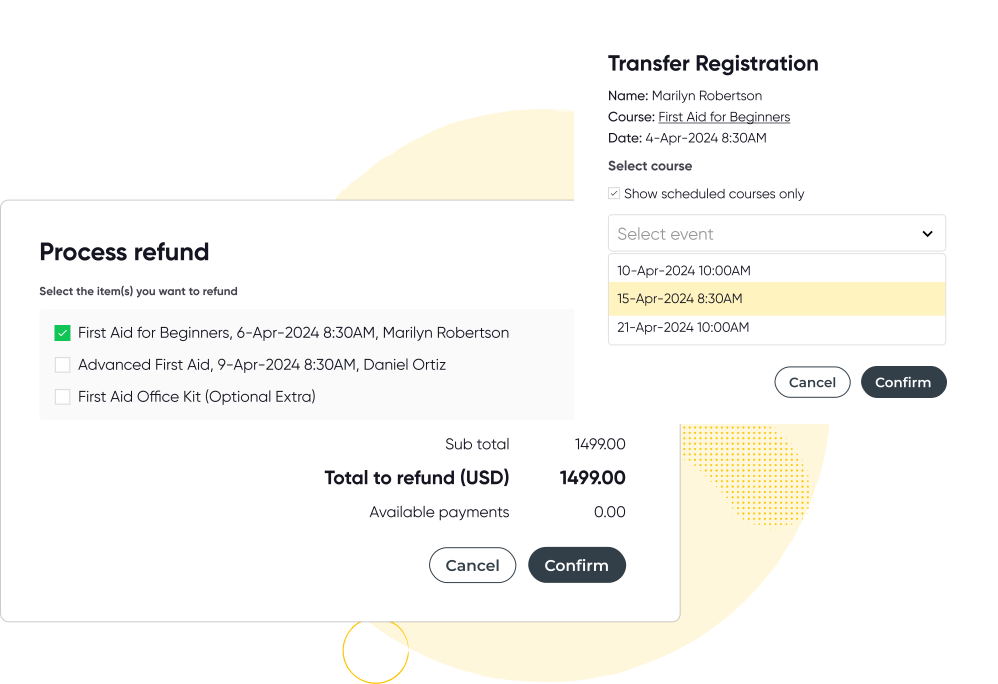
Arlo manages all aspects of transfers, refunds, and cancellations for you. Built-in tools allow you to easily cancel or transfer registrations and automatically notify your customers of any changes.
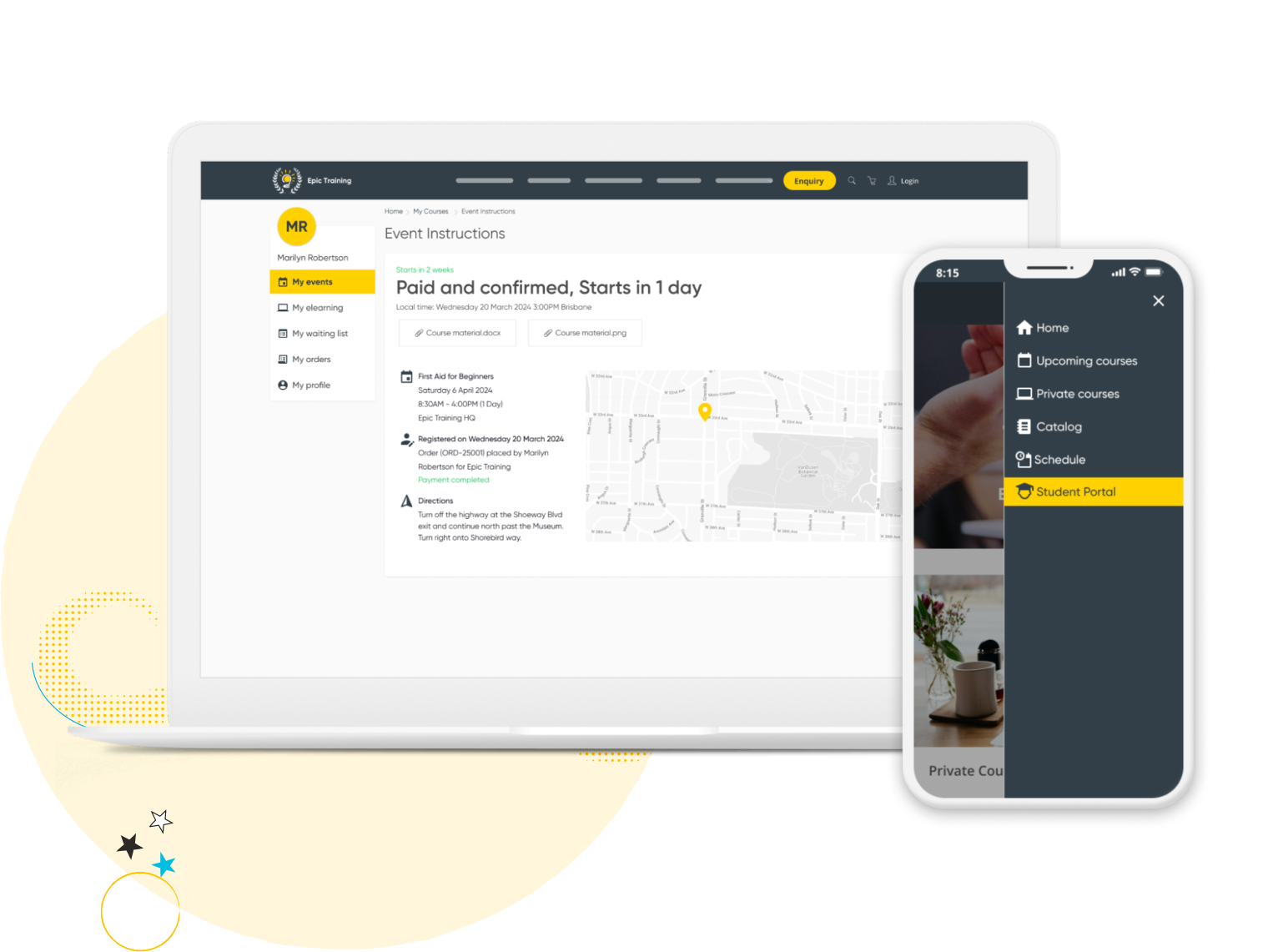
Create a branded customer portal that saves you time and empowers your learners with self-service. Customers can quickly register for courses, view upcoming and past training, manage their profile, and more.
Communispond, a global communication skills training provider based in Fort Lauderdale, Communispond runs global communication skills training out of Fort Lauderdale, Florida. Registration and payments used to mean manual work at every sign-up. Now it's automatic.
They switched to Arlo and haven’t looked back. Registration, payments and confirmations all run automatically, cutting admin by 80%, and giving customers a faster, more secure sign-up experience.
"Arlo has enabled us to reduce the manual tasks for running our open enrollment programs by 80%." - Scott D'Amico, President, Communispond

No credit card required. Unlimited users.

Yes. Arlo allows you to easily manage registration transfers across your course offerings, whether to another date, session, or even a different course template.
Automated emails notify both the original and new registrants, helping you keep interested participants informed seamlessly.
If you’re using our customer portal features, your customers can self-service their transfers and cancellations themselves if you enable it.
Yes. At a course level you can remove a participant and a new participant on behalf of a learner.
Yes. Our platform supports integrated payment processing providers available from you to select from with our preferred partner being Stripe, your customers can also pay with Google Pay, Apple Pay, Afterpay (Clearpay in the UK), Klarna if you enable them in your checkout settings.
Arlo has a built-in invoicing system that enables you to manage refunds, credits, or additional charges efficiently, supporting a smooth registration process for both you and your participants. Connect Arlo with your accounting system (e.g Xero, QuickBooks) for accurate billing and accounting data across both systems.
Yes. Customizable registration forms enable you to tailor a registration form to ensure you capture relevant data from interested participants. You can apply these at platform, template, or individual course levels.
You can get a quick overview of new registrations from your dashboard, dive deeper with standard or custom reports, or view data at the individual course level. You can also click into any registration to see detailed activity, including attendance, payment status, and more.
Yes. Automated emails are sent for confirmations, reminders, cancellations, and follow-ups. You can organize, and set up all of these emails within Arlo.
Yes. Export registration details—including contact info, attendance tracking, payment records, and custom fields—for individual or multiple courses to support your reporting and compliance needs.
Arlo's course registration software is included as part of the full platform, not sold as a standalone add-on. Pricing depends on your course volume and the features you need. See pricing for a plan comparison, or book a demo for a quote based on your business.
Yes. Every registration in Arlo automatically syncs to CRM records, connects to payment and invoicing, and updates reporting in real time. You don't need separate tools for forms, payments and customer data.
General event tools are built for one-off ticketed events. Arlo is built for training providers running recurring courses, waitlists, multi-location delivery and CPD/CE tracking, with registration data flowing directly into a CRM rather than sitting in a standalone system.
Yes. You can set registration limits, waitlists and screening rules per course, and manage them consistently whether you're running one location or several.
Yes. Registrants can access certificates and CPD/CLE points through the self-service portal, and completions tie back to your certification and licensing records in Arlo.
Compare the best training management systems for 2026. See features, pricing, and top tools for training providers.
Read the guideOur mission is to empower the delivery of great learning. Get in touch with us today and learn how we can help your business get more time back and streamline your admin processes.
Talk to our expert team