Instructor Led Training

Instructor-led training software

The training management platform designed specifically to support the unique needs of in-person and live online training. Whether you run traditional classroom sessions, webinars, or blended sessions, Arlo handles it all with ease and precision.

scruminc.VDC LogoInstitution on Governance Logo

Course booking & recurring session management

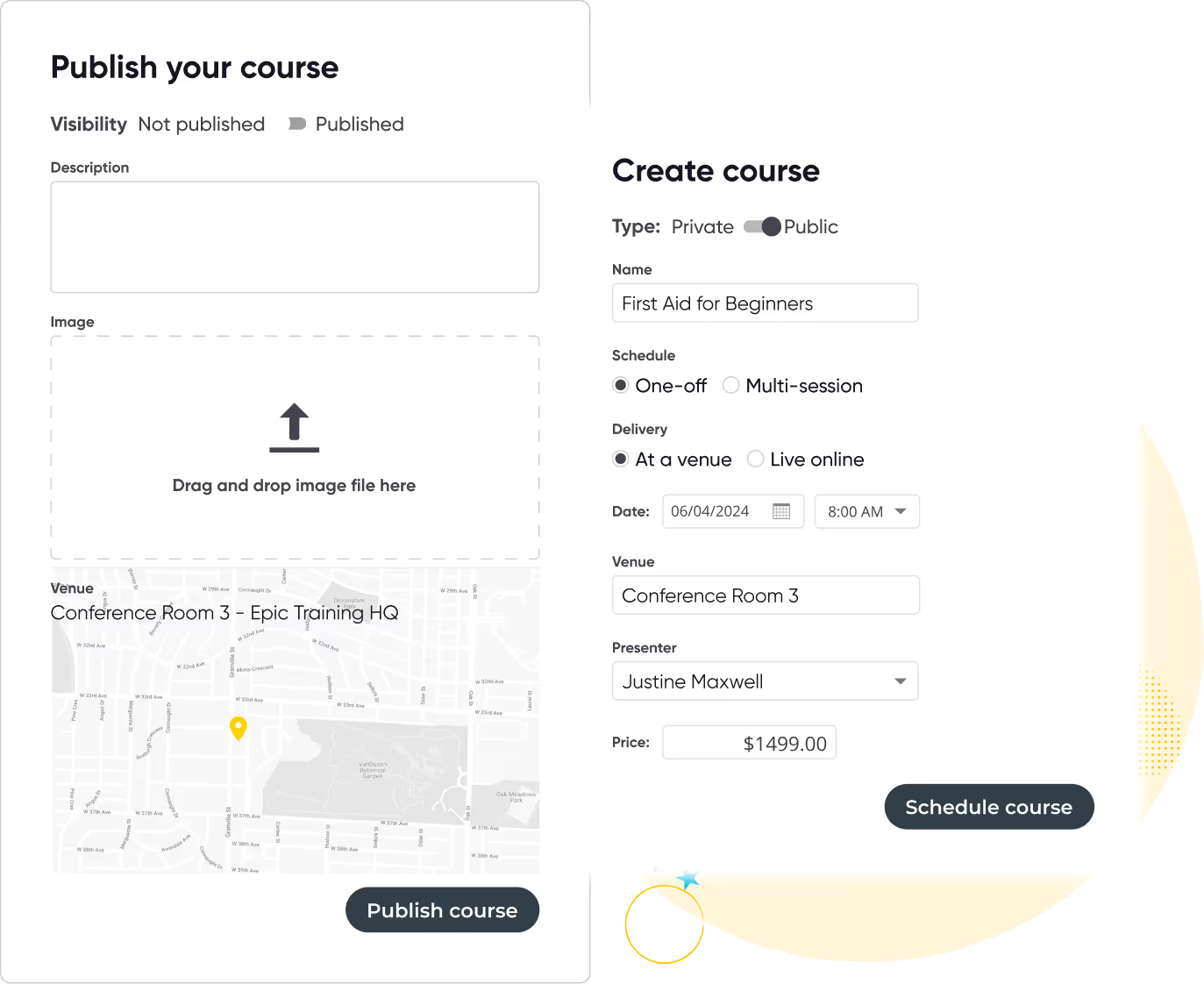
Schedule and publish courses across multiple dates, venues, and formats using templates and presets.

  • Quickly duplicate sessions without re-entering details using ready-made course templates
  • Manage recurring live training sessions across multiple dates and locations
  • Automatically publish courses online to start accepting registrations immediately
  • Reduce admin time while scaling multi-session delivery effortlessly
User interface showing two forms for creating and publishing a course titled 'First Aid for Beginners' with options for visibility, type, schedule, delivery, date, venue, presenter, price, and image upload.
Curved yellow line looping with white and black stars around the loop on a black background.
Online registration checkout page showing payment details for order #2501, with credit card selected as payment method, subtotal $1349, tax $150, total $1499, and invoice details for Marilyn Robertson including billing address and approval status.

Customizable booking forms & flexible payment options

Tailor registration fields and payment flows to suit your business model.

  • Build custom booking forms to collect specific learner or company information
  • Offer optional add-ons and upsell extra sessions or products during checkout
  • Accept payments via credit card, invoice, bank transfer, or cash
  • Allow deposits, part-payments, and flexible terms to reduce buyer hesitation
Woman in professional attire raising hand during a business meeting with a presenter and two other attendees seated facing a whiteboard.

Arlo has helped us to grow as a business and allows us to focus on creating high quality training.

Tammy Banks
Taye Training
Read case study

Automated email communication & reminders

Keep participants informed with automated, personalized course communication.

  • Send registration confirmations, payment receipts, and joining instructions
  • Deliver pre-course materials and post-course surveys without manual effort
  • Trigger reminders before each session to reduce no-shows
  • Maintain professional, timely communications at every learner touchpoint
User interface for email branding settings, including image upload, title bar and content area color options, and a signature logo for Epic Training, alongside a sample course confirmation email for a First Aid for Beginners course.
Curved yellow line looping with white and black stars around the loop on a black background.
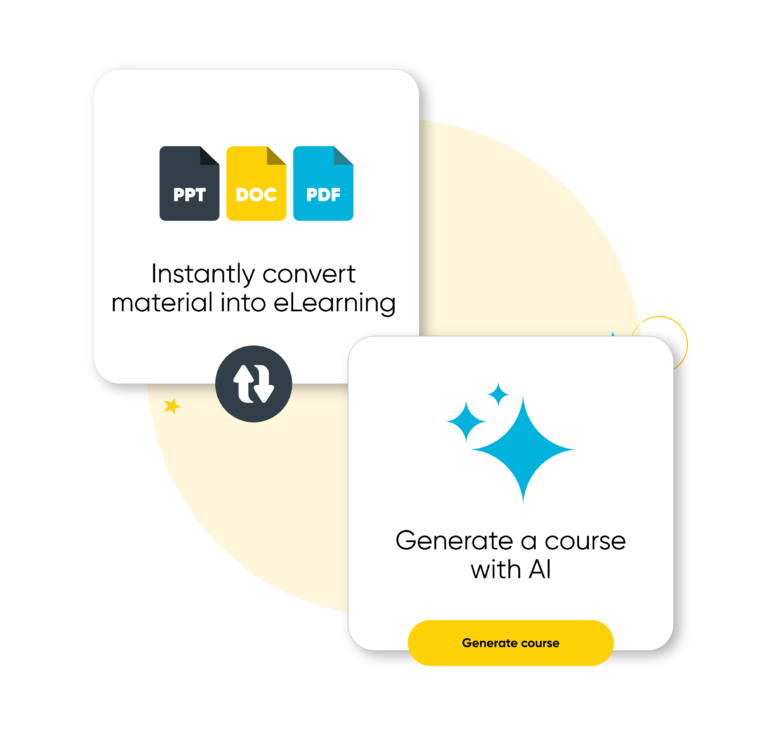
Two white squares on a yellow background: one shows icons for PPT, DOC, and PDF file types with text 'Instantly convert material into eLearning', the other has blue sparkling stars and text 'Generate a course with AI' with a yellow button labeled 'Generate course'.

Combine elearning and live training in one program

Arlo supports modern elearning as part of your internal training programs. Build flexible blended experiences that combine live sessions with self-paced modules, quizzes, and interactive resources.

  • Create online modules using Arlo’s built-in authoring tools or upload existing content
  • Assign pre-reading, videos, and knowledge checks alongside live training
  • Track completions, progress, and quiz results across teams
  • Offer standalone online courses or add modules to existing ILT programs
  • Manage it all from one platform, no switching systems or duplicating records
Yellow swirling line with two white star shapes on a transparent background.

Transfers, cancellations & refunds made easy

Handle complex training admin tasks with built-in tools and automation.
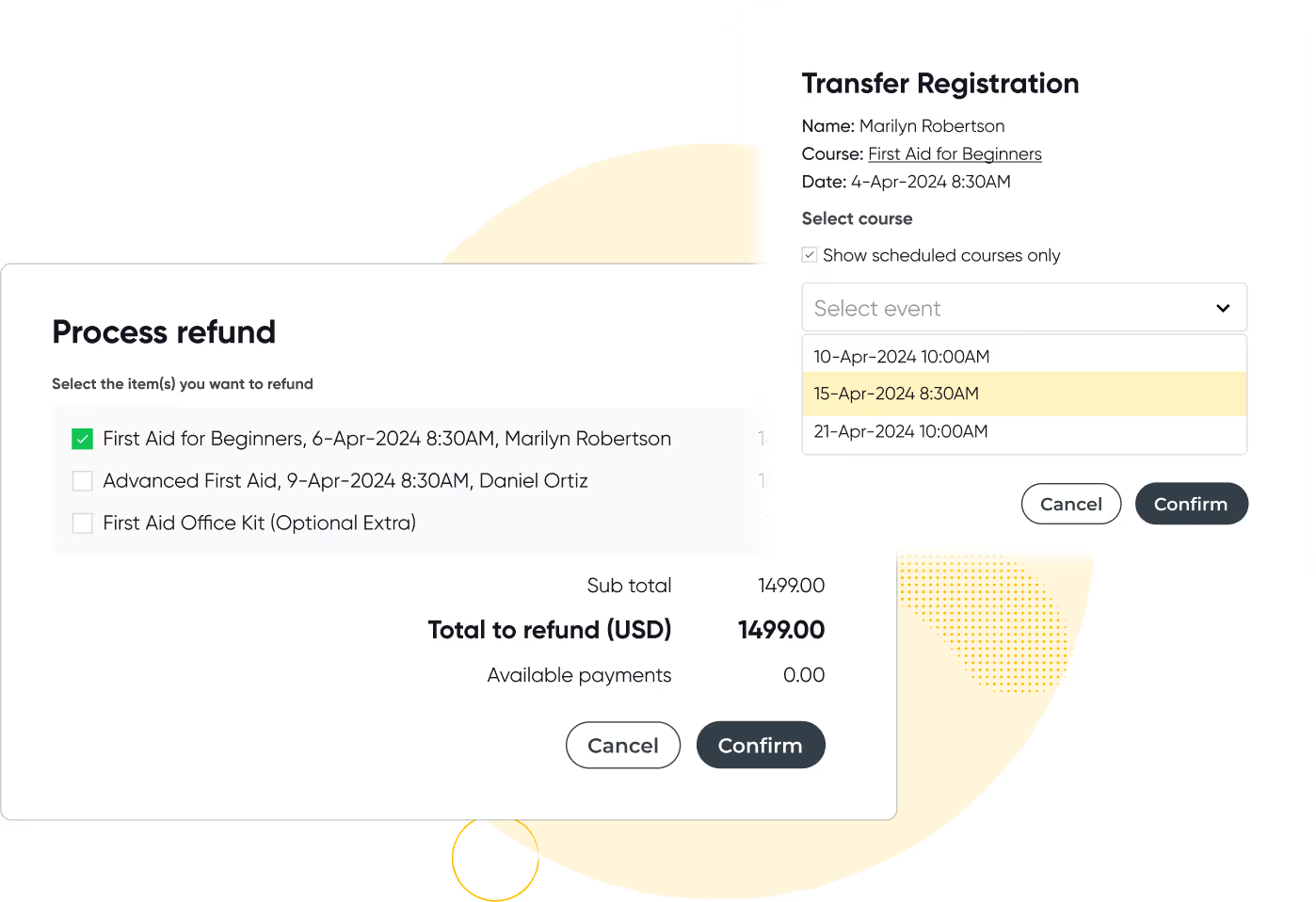
  • Process cancellations, transfers, and refunds in a few clicks
  • Automatically generate credit notes and notify affected parties
  • Reverse credit card payments directly through the platform where needed
  • Minimize admin time while maintaining a smooth customer experience
User interface showing a refund process with selectable items and a transfer registration form with course and date selection.
375K
Courses scheduled
7.5M
People trained
9.7M
Hours of admin saved
100M
Emails sent
$3B
Worth of training sold

Ready to transform your instructor-led training?

Start your 14-day free trial now. No credit card required. Unlimited users.

Thanks, we will get back to you shortly.
Oops! Something went wrong while submitting the form.

Other features you will love

Run your training business like a pro with Arlo’s purpose-built training management software.

Integrated Course Certificates & Learner Surveys

Automatically issue personalized certificates upon course completion and collect valuable feedback with surveys, helping you measure success and improve your offerings.

Icon of two documents with a yellow bar chart and a calculator with yellow display.

Real-Time Dashboards & Reporting

Track registrations, payments, course performance, and marketing effectiveness in one easy-to-use dashboard. Make data-driven decisions to grow your training business.

Computer monitor displaying a user profile icon with a yellow background.

Customer Self-Service Portal

Empower your learners with a branded portal to manage their registrations, view upcoming courses, access course materials, and download certificates — all with secure logins and autofill convenience.

Yellow and black megaphone icon.

Marketing & SEO Tools

Promote your live training effectively using Arlo’s built-in marketing features. Run targeted campaigns, offer discounts, optimize your website for SEO, and outrank competitors to drive more traffic and registrations.

Yellow gear icon symbolizing settings on a dark background.

Presenter Mobile Access for Attendance & Results

Give presenters mobile tools to mark attendance and record results directly from their phones. No chasing paperwork or manual entry, updates sync instantly to Arlo and can trigger automatic certificate issuance, saving admin time and improving accuracy.

Integrated Task Management for Pre & Post-Course Workflows

Create reusable task sets tied to course schedules and auto-assign them to staff with due-date logic. Team members are notified automatically, so you can manage logistics, from setup to follow-up, without relying on separate tools or emails.
Training Management System

Ultimate guide to training management systems

Compare the best training management systems for 2026. See features, pricing, and top tools for training providers.

Read the guide

Instructor-Led Training Management Software FAQs

Start 14-day trial
What types of live training can I run with Arlo?
Grey Dropdown Icon

Arlo supports face-to-face, live webinars, blended learning, and multi-session courses.

Can I customize the registration process?
Grey Dropdown Icon

Yes. You can block personal emails, apply SSO-only access, or limit visibility by department, region, or group.

How does Arlo help with cancellations and refunds?
Grey Dropdown Icon

It automates credit notes, notifications, and payment reversals, simplifying refund management.

Is Arlo integrated with webinar platforms?
Grey Dropdown Icon

Yes, it seamlessly integrates with Zoom and GoToWebinar.

Let's chat training management

We get training. With over 16+ years experience, our global team of experts are here to help you every step of the way.

Talk to our expert team

Seven diverse people standing in a row, one holding a large yellow circle with 'arlo' written on it, with decorative stars and a 'POW!' graphic in the background.