
At Arlo, we are dedicated to continually updating and improving the accessibility of the platform. We believe it is our responsibility and mutual moral obligation to make access easy for everyone. We’re working to identify and address accessibility barriers on our application and website platform by following industry guidelines and key customer feedback.
In order to achieve this, we’ve delivered a series of accessibility improvements to ensure our platform and website platform provide the best-in-class experience for everyone.
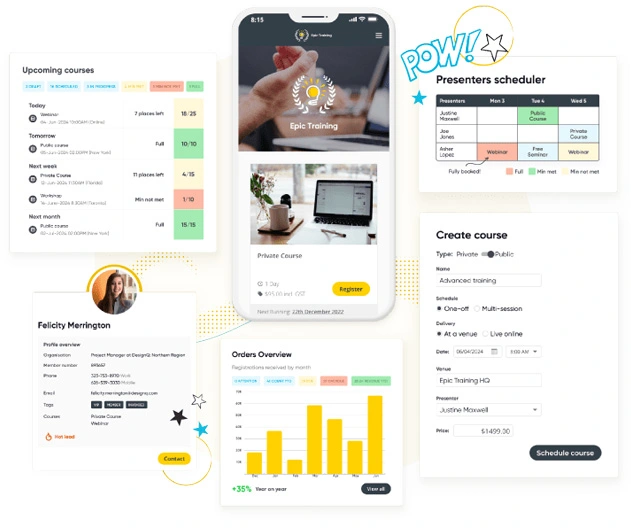
We endevaour to ensure Arlo is always an enjoyable experience for everyone. To do this, we use the Web Content Accessibility Guidelines (WCAG) 2.2. These guidelines explain how to make web content more accessible and improve the experience for people with disabilities.
Learn more
We've ensured our website platform is easier to navigate and more enjoyable for everyone to use. Navigation menus have been simplified so that they’re consistent and easy to explore, whether you’re using a screen reader or just your keyboard.
Secondly, the team has added descriptive alt text to non-decorative images, icons, and multimedia content, so users who rely on assistive technologies can access the information they need without any hassle.
Default color schemes and contrast have been used to make sure that everything on the site is clear and easy to read, especially for those with visual impairments. No matter what device you’re using our website is be fully responsive and accessible, ensuring a seamless experience for everyone.

It is now easier for everyone to manage their accounts and access course information through our customer portal. We’ve improved the navigation menus to be consistent and user-friendly, allowing you to easily tab through all interactive elements without needing a mouse.
We’ve also added descriptive alt text to non-decorative images and multimedia content, making sure that users who rely on assistive technologies can navigate smoothly. Additionally, we’ve adjusted our color schemes and contrast for better readability, and ensured that all notifications are clear and accessible, with text alternatives for visual alerts.

Accessibility in the checkout is equally as important. Whether you're making visual changes, updating flows or your customers are purchasing through it - it's important that everyone can use it seamlessly.
We've made changes so everyone can easily navigate forms and buttons using just a keyboard. We’ve also added clear labels and instructions to help guide usersthrough the process, with easy-to-understand error messages for extra support.

Elearning is often accessed by a range of users on various different devices, often away from the classroom, workshop or seminar as self-paced learning.
Our elearning solution was reviewed and audited by an external contractor to ensure we're meeting accessibility requirements across the board, that align with best practises also used throughout the rest of the Arlo platform.
The tools and methods we are using to test and identify areas of accessibility are an ongoing project. While we strive to ensure all pages and content on Arlo are fully accessible, there may still be some areas that do not yet meet the highest accessibility standards.
If you encounter any issues accessing content or using Arlo, please let us know. Our friendly team will be more than happy to assist you. Please submit a contact enquiry or for a full list of contact methods, please visit our Help Center.