Universites

Sell and Deliver World-Class Short Courses with Arlo

Schedule, sell, and deliver continuing education and professional short courses with Arlo. Our purpose-built training management system helps universities reduce admin, simplify compliance, and give their teams more time to deliver outstanding programs.

Victoria University of Wellington logo with shield emblem and text including Maori name Te Herenga Waka.Logo celebrating 100 years of service from 1921 to 2021 for Graduate School USA featuring a stylized American flag.The University of Auckland Business School logo.University of British Columbia logo with shield containing a stylized open book and wavy lines.CQUniversity Australia logo.

Quick course setup with templates

Universities often run the same short courses multiple times a year, across different dates and locations. Arlo’s templates make setup effortless:
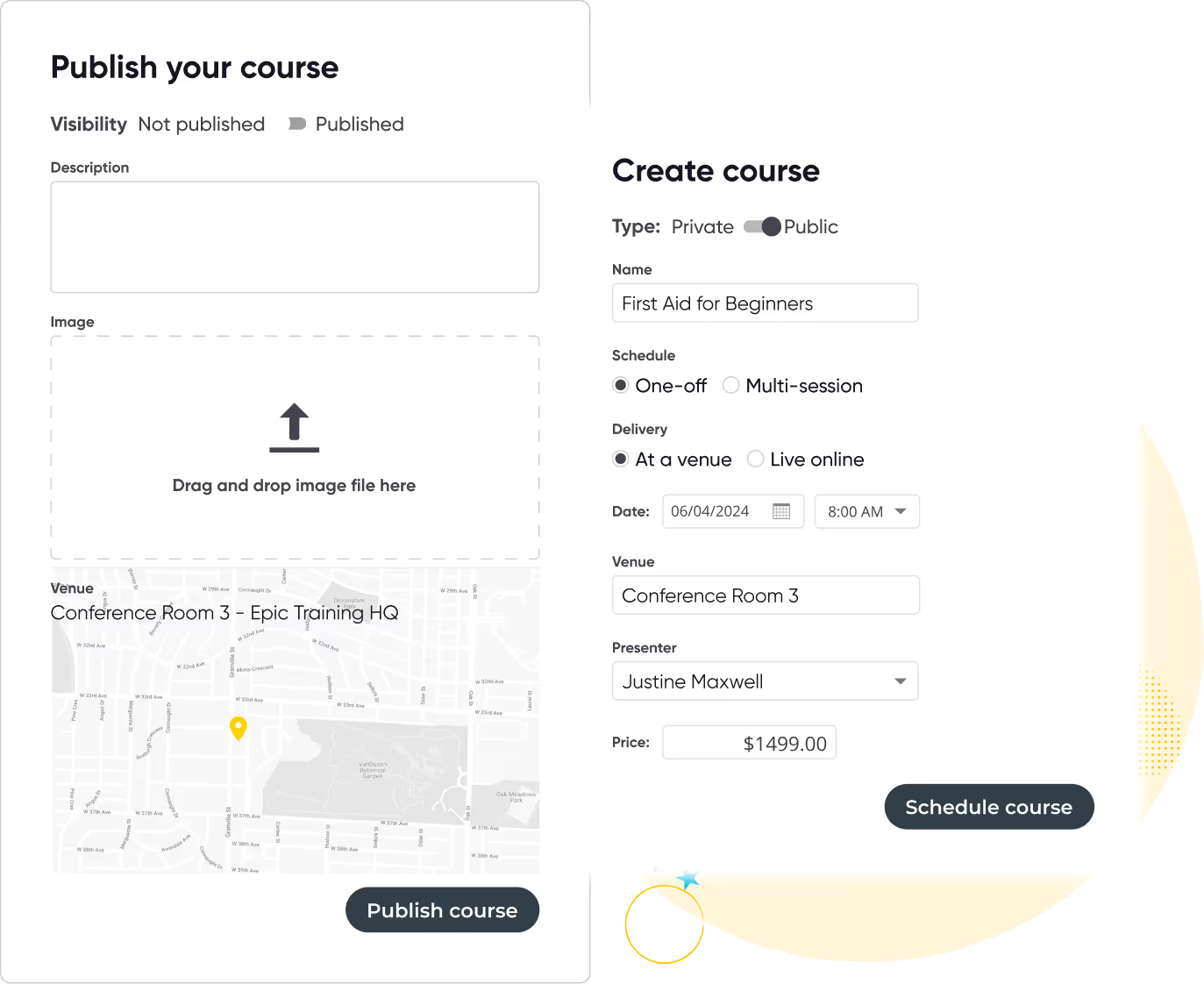

  • Pre-fill key details such as learning outcomes, descriptions, and pricing
  • Duplicate and adjust courses for new terms or departments
  • Create templates for CPD and compliance programs
  • Add online modules with Arlo’s built-in elearning tools
User interface showing two forms for creating and publishing a course titled 'First Aid for Beginners' with options for visibility, type, schedule, delivery, date, venue, presenter, price, and image upload.
Curved yellow line looping with white and black stars around the loop on a black background.
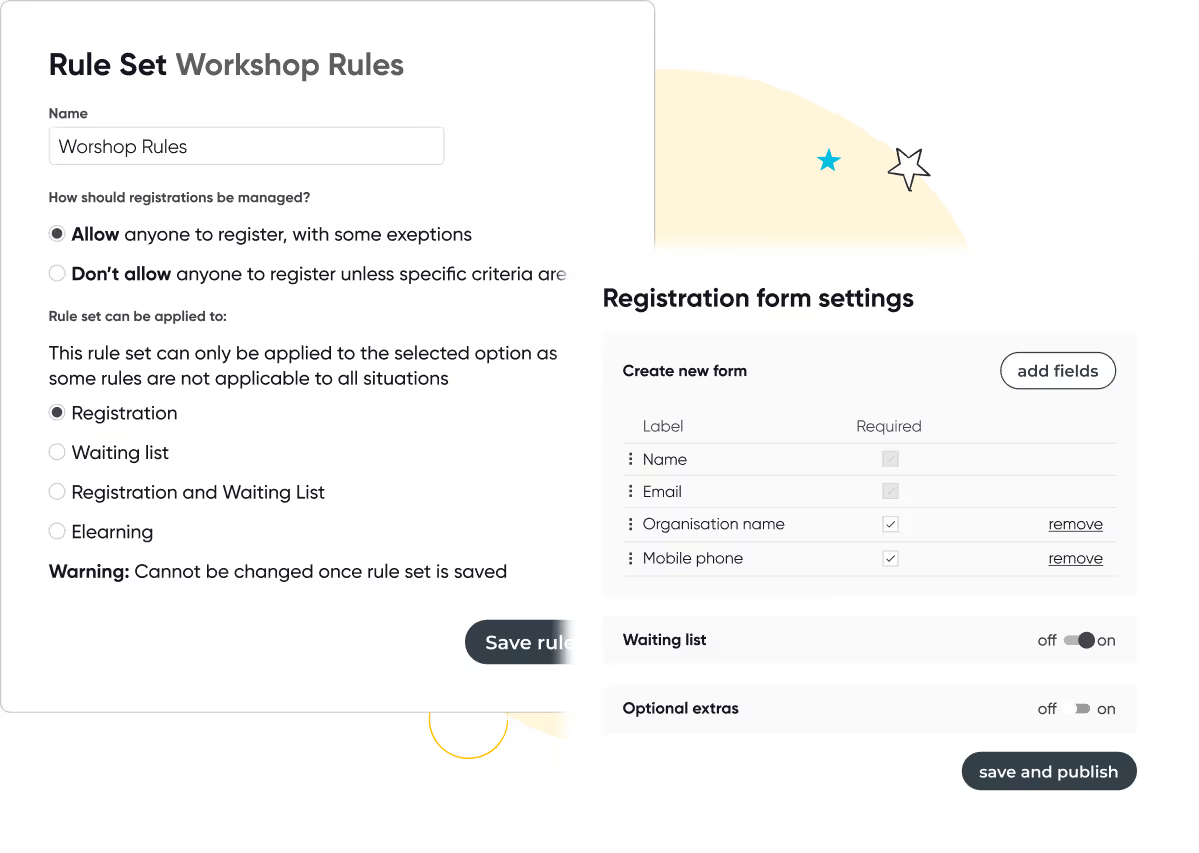
Screens showing workshop registration rules with options for managing registrations and rule applicability, and registration form settings with fields and toggles for waiting list and optional extras.

Customizable registration forms that convert

Universities run a mix of public-facing short courses, CPD programs, executive education, and internal training. Each has its own enrolment and payment rules, and Arlo is built to handle that complexity.

  • Customizable registration forms with dropdowns, eligibility rules, and application processes
  • Support for multiple payment gateways including Stripe, PayPal, Apple Pay, Google Pay, Windcave & more
  • Waiting lists, abandoned cart follow-up, and discount codes for different audiences
Yellow swirling line with two white star shapes on a transparent background.

Better certification and compliance

Easily generate digital certificates and automatically email them to course participants based on attendance or achievement. Arlo will send renewal reminders when their certification or license is about to expire, too.
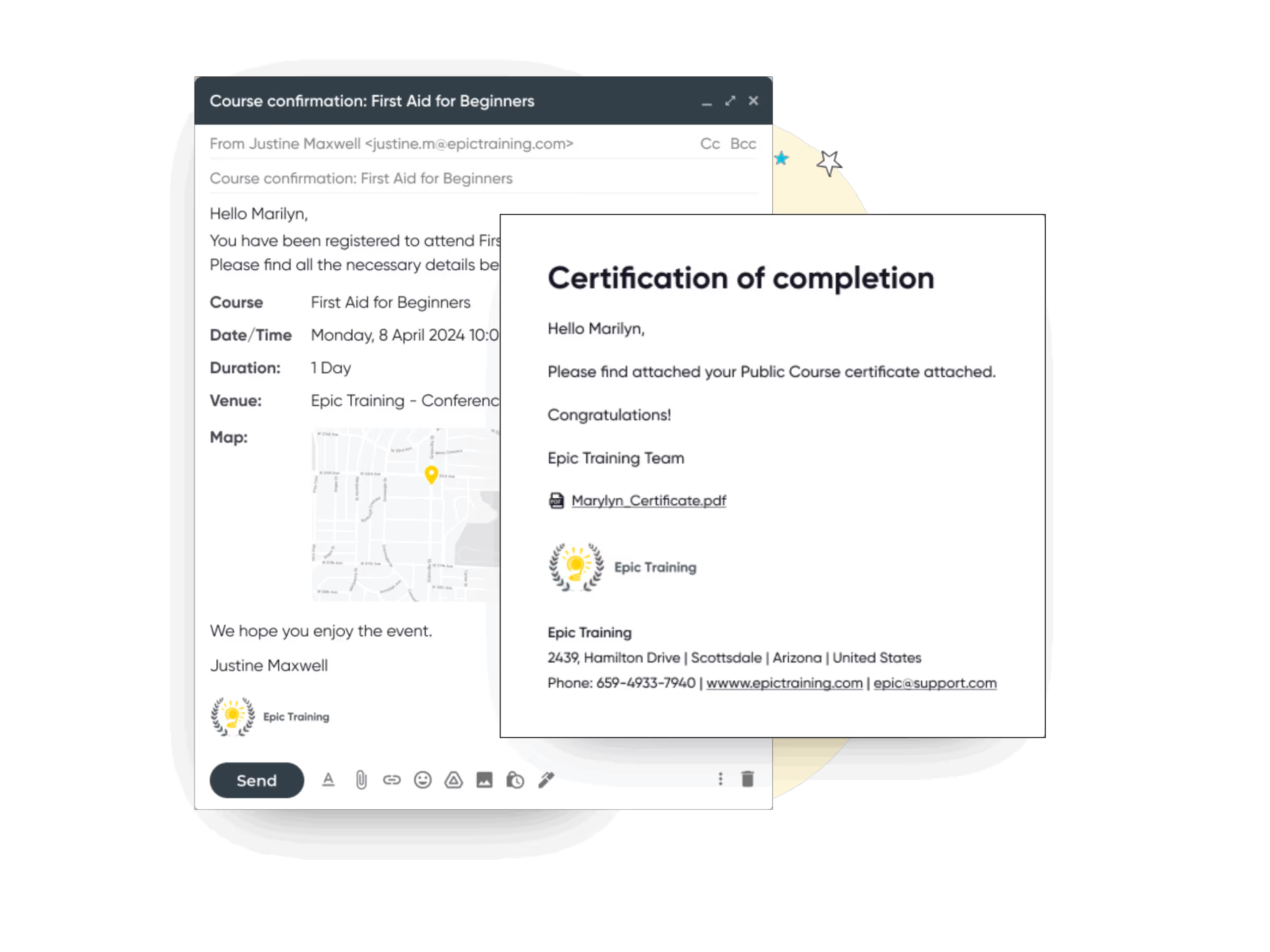

  • Automatically generate and email certificates on course completion
  • Send renewal reminders for licenses or CPD requirements
  • Connect with survey tools like SurveyMonkey so certificates are issued only after evaluations are complete
  • Offer flexible delivery options: printed, PDF, or digital credentials
Email screen showing first aid course confirmation and certificate of completion sent to Marilyn from Epic Training.
Two business professionals smiling and conversing while seated in a seminar room with a presenter at a whiteboard in the background.

“It was the best decision Wintec have made”

Michelle Pearse, Professional Programmes Representative
Wintec Te Pukenga
Read case study

Flexible self-service for your customers

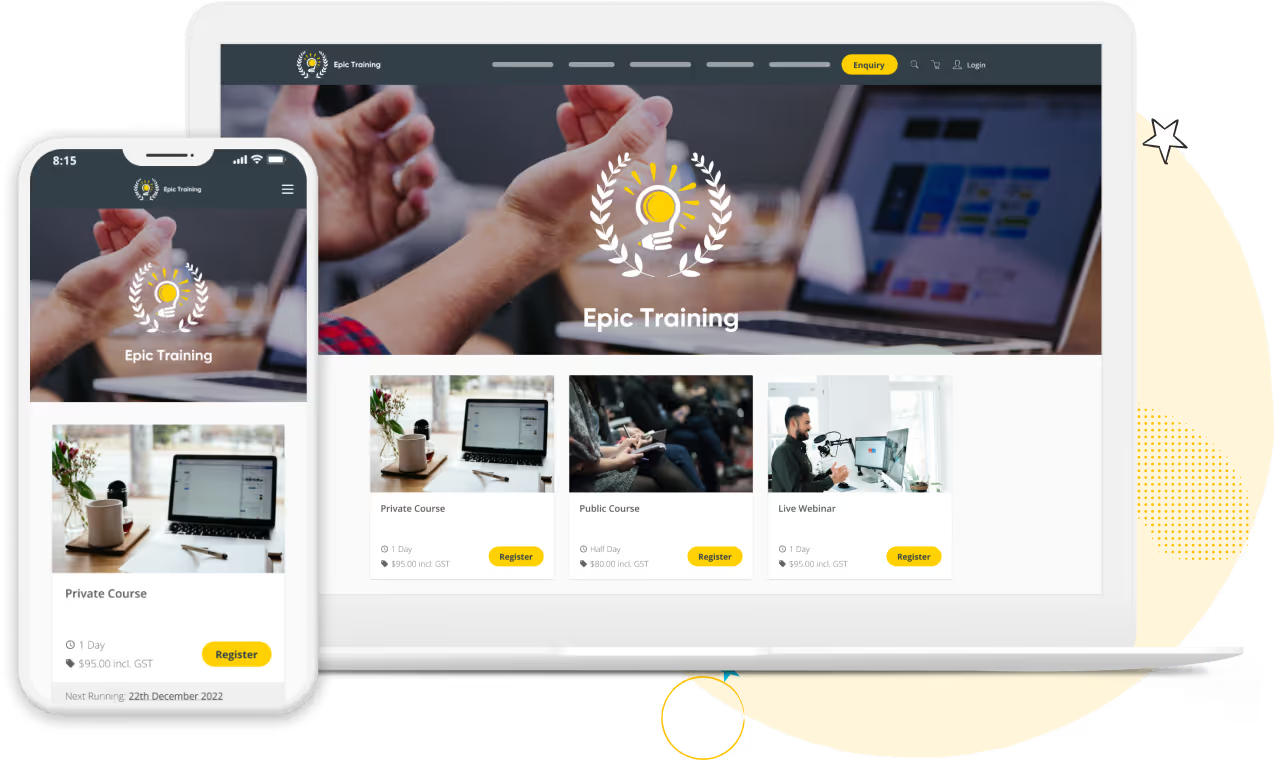
Connect Arlo to your existing site with simple code that can be dropped into your course pages, or get a free website that’s ready to go straight away with your account.

Course details, registration count and other information dynamically updates in real time to provide the smoothest registration experience for your students.
  • Learners can access online course materials such as pre-reading, quizzes, videos, and assignments as part of a blended learning journey.
  • Reporting and analytics provide insights into learner progress and course effectiveness to support continuous improvement.
  • Find and assign trainers and venues in a single workflow
  • Add custom fields and optional extras
Website homepage for Epic Training shown on a laptop and a smartphone, featuring course options with images, descriptions, prices, and register buttons.
Curved yellow line looping with white and black stars around the loop on a black background.
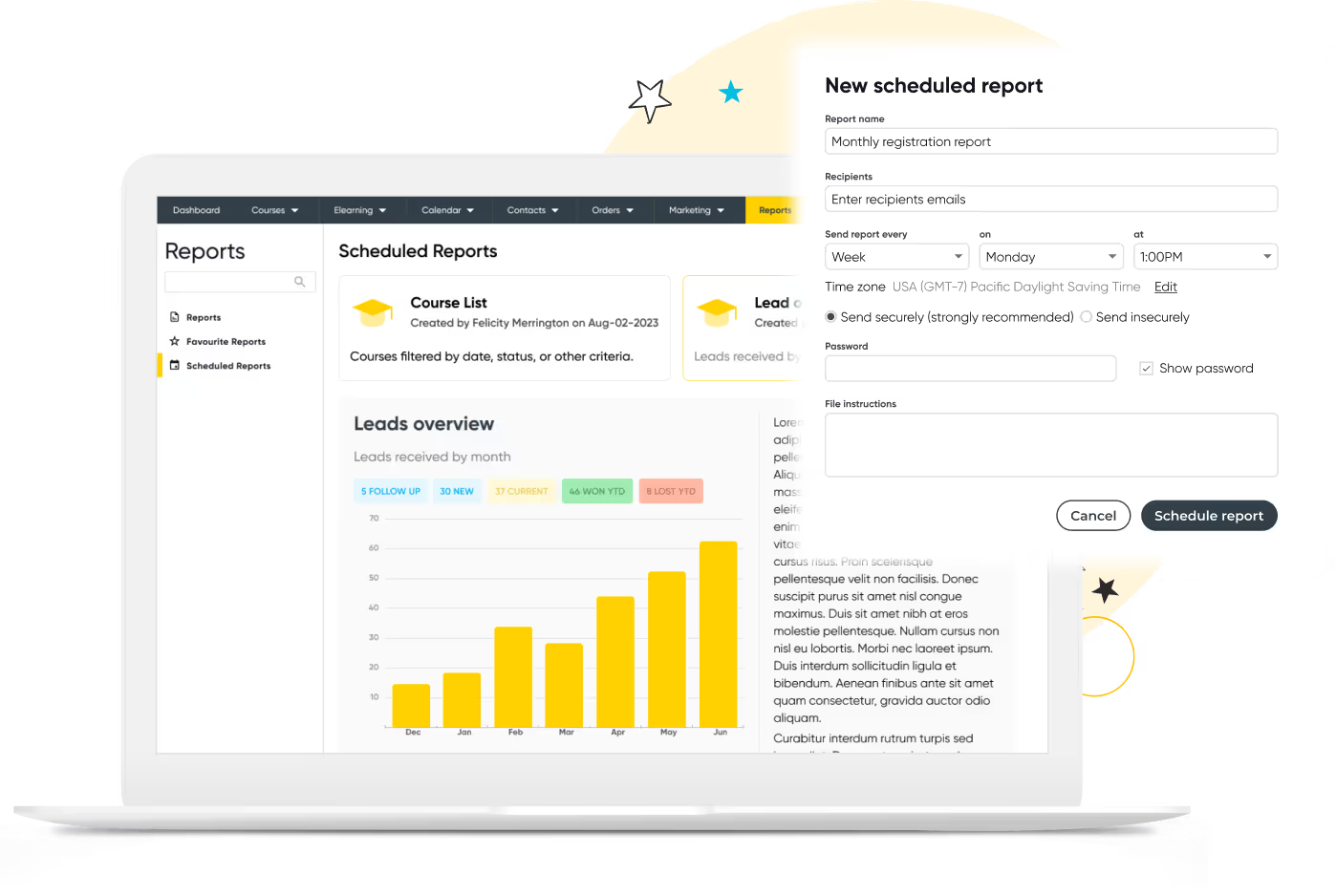
Laptop screen displaying a reports dashboard with scheduled reports and a bar chart of leads overview, alongside a 'New scheduled report' form for setting report details and scheduling options.

Make more informed decisions with smart reporting

With real-time visibility of registrations, revenue and upcoming courses you’ll gain valuable insights into how courses are performing.

  • Create and schedule tailored reports for key stakeholders based on performance, profitability, and engagement.
  • Generate course performance reports for managers, including metrics such as attendance, completion rates, and learner satisfaction.
  • Build custom reports with filters so administrators can segment data by date range, course type, region, or customer group.
  • Provide read-only access for certain users so stakeholders can view up-to-date results without being able to modify or export sensitive data.
375K
Courses scheduled
7.5M
People trained
9.7M
Hours of admin saved
100M
Emails sent
$3B
Worth of training sold

Ready to transform your instructor-led training?

Start your 14-day free trial now. No credit card required. Unlimited users.

Thanks, we will get back to you shortly.
Oops! Something went wrong while submitting the form.

Other features you will love

Run your training business like a pro with Arlo’s purpose-built training management software.

Integrated Course Certificates & Learner Surveys

Automatically issue personalized certificates upon course completion and collect valuable feedback with surveys, helping you measure success and improve your offerings.

Icon of two documents with a yellow bar chart and a calculator with yellow display.

Real-Time Dashboards & Reporting

Track registrations, payments, course performance, and marketing effectiveness in one easy-to-use dashboard. Make data-driven decisions to grow your training business.

Computer monitor displaying a user profile icon with a yellow background.

Customer Self-Service Portal

Empower your learners with a branded portal to manage their registrations, view upcoming courses, access course materials, and download certificates — all with secure logins and autofill convenience.

Yellow and black megaphone icon.

Marketing & SEO Tools

Promote your live training effectively using Arlo’s built-in marketing features. Run targeted campaigns, offer discounts, optimize your website for SEO, and outrank competitors to drive more traffic and registrations.

Yellow gear icon symbolizing settings on a dark background.

Presenter Mobile Access for Attendance & Results

Give presenters mobile tools to mark attendance and record results directly from their phones. No chasing paperwork or manual entry, updates sync instantly to Arlo and can trigger automatic certificate issuance, saving admin time and improving accuracy.

Integrated Task Management for Pre & Post-Course Workflows

Create reusable task sets tied to course schedules and auto-assign them to staff with due-date logic. Team members are notified automatically, so you can manage logistics, from setup to follow-up, without relying on separate tools or emails.

Training Management System

Get the ultimate guide to training management systems

Running training courses? Access our Ultimate Guide to get the full breakdown of its strengths.

Read the guide

Training Management Software for Universities FAQs

Start 14-day trial
Can Arlo handle both internal staff training and external continuing education courses?
Grey Dropdown Icon

Yes. Universities use Arlo to manage short courses, professional development programs, and internal faculty training from the same platform. You can run free and paid courses, manage public and private programs, and keep reporting separate by department or funding stream.

How does Arlo integrate with university websites?
Grey Dropdown Icon

Arlo gives universities two flexible options for managing and presenting their training online.

  • Integrate with your existing website: Connect Arlo directly using our WordPress plugin or Web Controls. This lets you pull in course information, registration forms, and checkout flows without rebuilding your site.
  • Use Arlo’s ready-made website: Launch a fully branded short course catalog in minutes. Choose from pre-built templates and pages to showcase courses, presenters, schedules, and venues. Everything is modern, accessible, and optimized for conversions.
What reporting and compliance features are available for universities?
Grey Dropdown Icon

Arlo gives universities real-time reporting on registrations, attendance, cancellations, revenue, and learner outcomes. Reports can be scheduled for leadership teams, accreditation boards, or grant funders, and exported directly for funding applications or internal audits.

How does Arlo support complex course structures like multi-session programs or certificate pathways?
Grey Dropdown Icon

Universities can create learning paths and certificate programs where learners must complete a series of courses or attend a set number of sessions. Arlo tracks completions, issues certificates automatically, and supports prerequisites or application processes for selective programs.

Let's chat Health & Safety training.

We get training. With over 16+ years experience, our global team of experts are here to help you every step of the way.

Talk to our expert team

Seven diverse people standing in a row, one holding a large yellow circle with 'arlo' written on it, with decorative stars and a 'POW!' graphic in the background.