Arlo's training scheduling software keeps your courses, trainers and venues organized and automates the back-office work, so you can focus on delivery and growth.
Training scheduling software manages the moving parts behind running a course: trainers, venues, dates and delivery format. All in one system instead of a shared calendar, spreadsheets, manual emails and disconnected tools.
Arlo's training scheduling software is built for training providers running recurring, multi-session and blended courses. Schedule trainers and venues, publish courses to your website, and manage registrations, communications and reporting from the same system, across public, private and multi-location delivery.

General appointment booking tools - the kind salons, clinics and consultants use such as Timely and Bookeo - handle one person booking one slot with one staff member. That's where they stop.
Training providers need to coordinate a lot more at once: multiple trainers, venues and rooms, recurring and multi-session courses, and blended delivery across in-person, virtual and elearning, all tied to the same course record. Arlo is built for that. It's not a single-appointment tool adapted for training.
Arlo allows you to schedule one or multiple trainers per course. You can easily adjust and view a trainer’s schedule, as well as keep records of their historic courses.
Trainers can be emailed their schedule or view it on our dedicated mobile app.
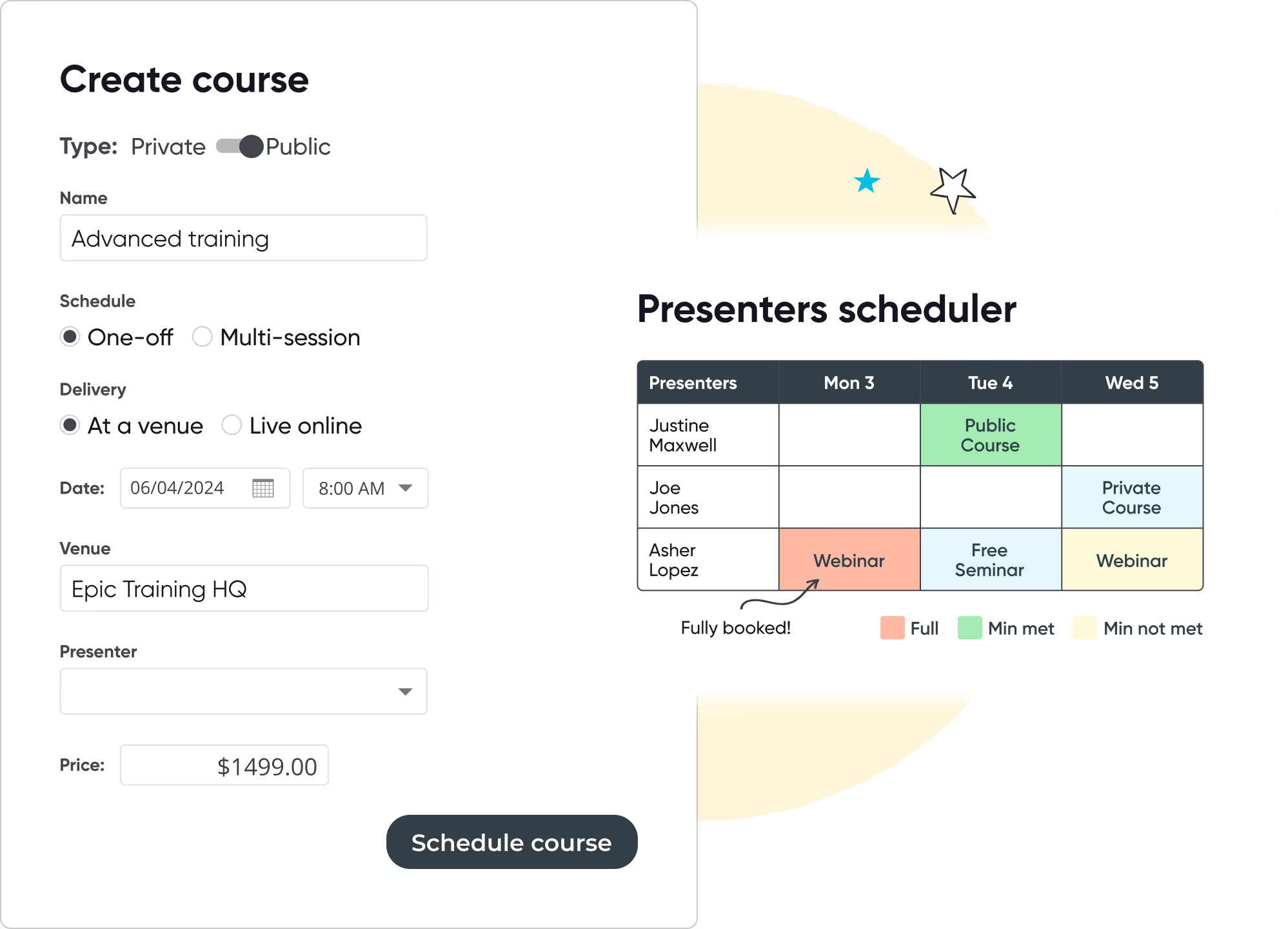
Schedule and manage all the gritty details about a course in Arlo, including capacity, price, venue or Zoom room, trainer/presenter, catering, email communication and more!
Once you’re happy, publish the course to your website or send a registration link to a key contact for a private training course.
.avif)
When you schedule a course, view room availability and book one that’s the right size.
Easily manage the venues for your courses. Get a view of what’s on for a particular day, week or month. Clicking on a course brings up a popup with further information about the scheduled course.
Arlo makes scheduling and managing courses that re-run on multiple dates and locations easy. In a couple of clicks a new course instance can be scheduled and live on your website. Sit back and let our course booking software do all of the heavy lifting!

Bootcamps, certification tracks and multi-day programs need more than a single date.
Group linked sessions into one program, manage registration and attendance across every date from a single record, and automate reminders for each session, not just the first one.
Group published courses by category, such as Compliance or Leadership, and control which ones are visible based on status or availability.
Learners see an up-to-date, organized course list without you managing it by hand.
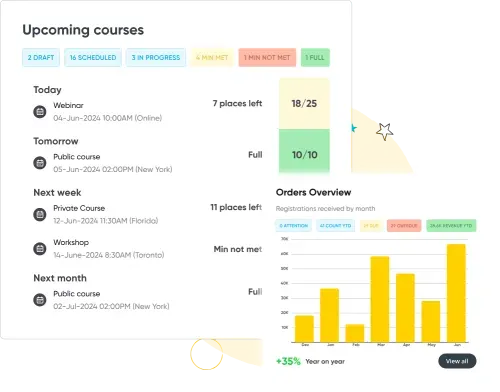
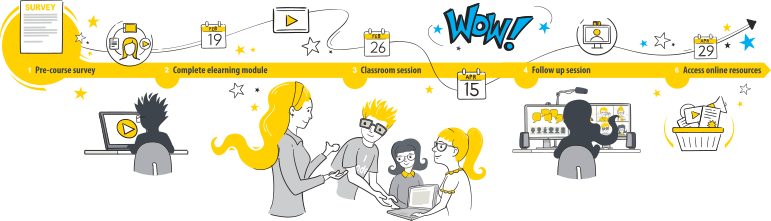
Schedule face-to-face training, instructor-led training, live Zoom sessions, self-paced online modules, or a blend. Arlo has it covered.
No credit card required. Unlimited users.
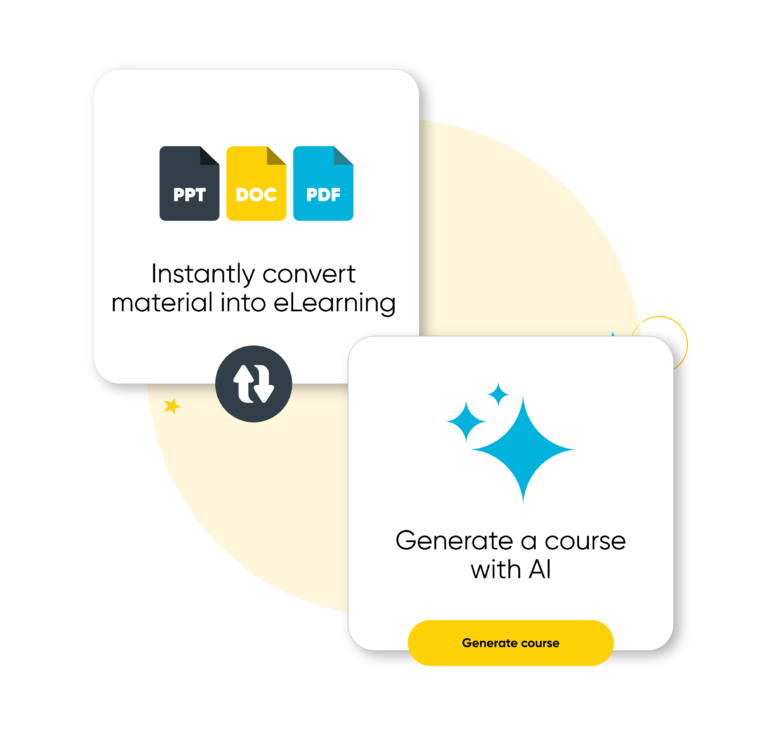
Blended learning has never been easier. Bring eLearning and instructor-led training together in one easy-to-use system. With Arlo’s AI-powered elearning authoring tool, you can effortlessly create, deliver and manage online training that your learners will love.

Arlo’s training registration system includes a flexible form builder so you can capture the information you need and take payments by credit card or invoice.
Once bookings are made, all communication is automated, including webinar or venue instructions, payment receipts, reminders and feedback surveys. Arlo’s course management tool makes it easy.

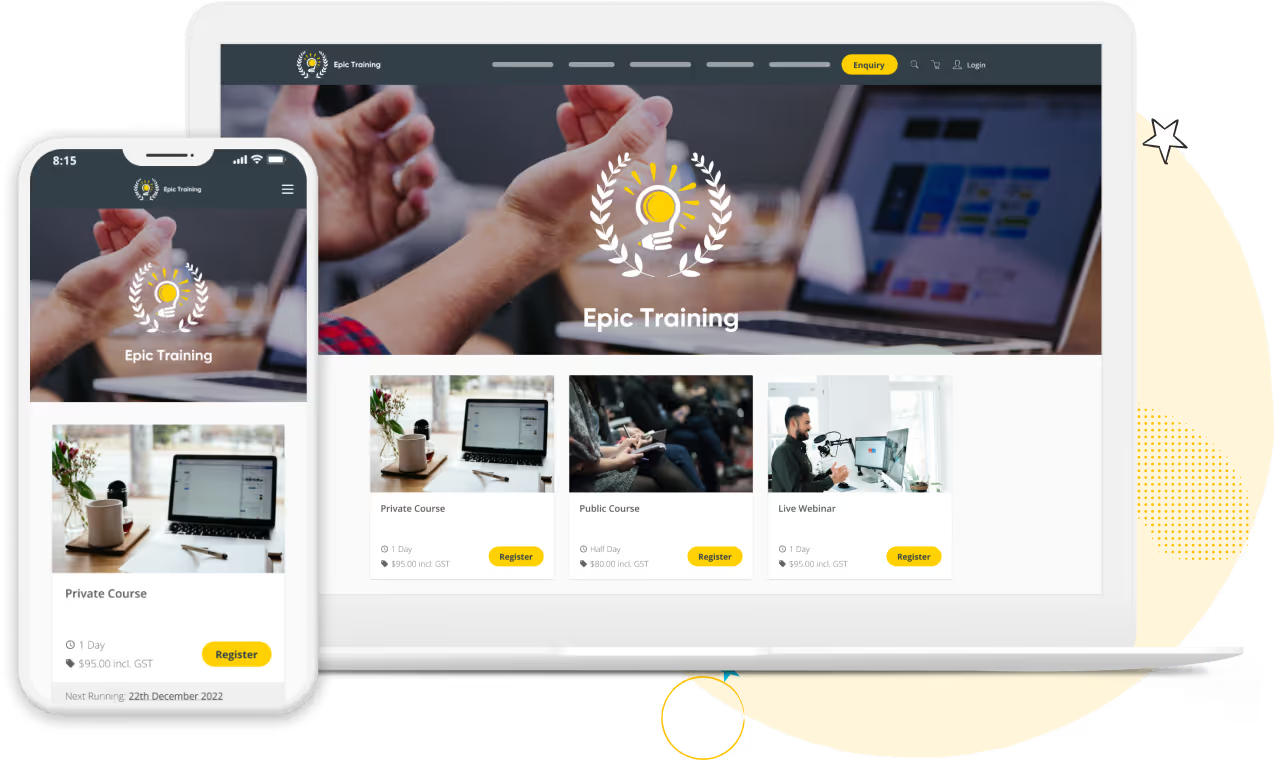
Arlo’s smart technology lets you create a high-quality training provider website. Use our free website builder to start selling fast, or integrate Arlo into your content management system for a seamless experience for visitors.

Easily schedule your calendar of training courses in Arlo. Course templates and pre-sets automatically pre-fill information making scheduling courses that re-run on multiple dates easy.

Use our drag-and-drop website builder or connect your existing website to Arlo so when you schedule a course, it’s automatically published on your website.

Learners can register and pay for your courses right from your website. You can create custom forms that capture the information you need and even upsell your customers with optional sessions and extras.

All training & course-related emails are automated. Including order confirmations, invoices, course instructions, and pre-reading material.

Run face-to-face courses or live online webinars. Make it blended with multiple sessions or eLearning activities. With Arlo, you can introduce new ways to teach and learn.

Once a course is completed, Arlo can automatically send personalized certificates to those who passed, send feedback surveys, and invite registrants to attend your next related course.
Run your training business like a pro with Arlo’s purpose-built training management software.

Multi-session or one-off courses, live-online, in-person training or blended – Arlo does it all. Choose your course type and publish training courses to your website in minutes.

Manage all of the moving parts in one platform. Streamline and automate task management and get a complete view of upcoming courses, instructors, venues and more.

From eLearning platforms, to survey tools and payment gateways – connect Arlo to the software you already use, or find new ways of elevating your workflow with 300+ integration options for your Health & Safety organization.

Make your course administrators’ life easy with a one-click cancellation and refunds process that doesn’t soak up your time and effort.

Create a branded customer portal that saves you time and empowers your learners with self-service. Customers can quickly register for courses, view upcoming and past training, manage their profile, and more.

Arlo is way more than a course booking tool. Its a training company system, where you can manage all of your important relationships in one place. Automatically store contacts, track course activity and outcomes, capture and nurture leads and and more.

From $25 to over $1,000 per month. Arlo starts at $105 per month, check out our pricing for more information.
If you run more than 2 or 3 training courses per month, you probably need a course scheduling system. Yes, you can manage course bookings manually on spreadsheets, but this solution doesn't scale. Training scheduling systems save you time by collecting registrations and payments for specific course dates, and automating follow-up tasks like sending emails. Ultimately, training scheduling software saves you time by eliminating manual administration.
As we've ran through above key features include:
Trainer, calendar and resource scheduling – You should be able to check trainer availability, assign instructors, and schedule sessions across multiple dates, venues, or formats.
Resource Management – Your solution should allow you to manage everything needed for training delivery – venues, rooms, equipment, and more.
Booking pages and booking forms – as part of the scheduling process you should be able to set up customizable booking forms that collect the right participant data and payment details, and branded booking pages that match your website and provide a first class registration experience.
Automated communications and reminder notifications – look for a system that handles confirmations, pre-course instructions, and reminder notifications automatically
Online payments and invoicing – Built-in secure payment processing and invoice generation is a must if you're taking paid registrations.
Who uses training scheduling software?
The actual day to day users of training scheduling software tend to be training managers and training administrators.
Most training providers using Arlo for scheduling are running public or private courses for paying participants, commercial training companies, associations, and education providers delivering the same courses on a recurring basis.
Some internal training and enablement teams also use Arlo's scheduling tools for structured internal programs, though this isn't the primary audience Arlo is built for, and features like public course marketing and online sales aren't relevant to a purely internal use case.
Day to day, the people actually using the scheduling tools tend to be training managers and training administrators, regardless of which of the above applies.
Not quite, the platform training companies use to run their entire training operations from front to back, are known as training management systems.
They can power your website, scheduling, capture course bookings and payments, automate admin tasks, report on performance, and integrate with your other systems.
Arlo for example, is training management software with comprehensive training scheduling features in-built, that we've gone through above.
Yes. You can import and schedule up to 200 classes in bulk using templates, and group linked sessions into a single multi-session program with unified registration, attendance and reminders across every date.
If your training organization runs the same courses or training sessions regularly, managing them manually becomes repetitive and error-prone.
Arlo simplifies the scheduling process letting you reuse key information through course templates, including course format, pricing and logistics, so each new course can be scheduled in seconds.
This process helps save time, reduce errors and gives your team more control over how training is delivered, and the overall training process.
Yes, Arlo gives you a full view of trainer availability and venue capacity through built-in resource scheduling and resource management tools.
You can check who's free, what rooms are available, and what else is happening across your schedule. It's ideal for training programs with multiple sessions or presenters, helping you avoid conflicts and deliver smooth, well-planned training sessions.
Arlo supports flexible scheduling rules, so you can set availability windows for venues, presenters, or your whole team. That way your courses and training sessions only appear in the calendar during valid timeframes.
For training organizations juggling external venues or contract trainers, this helps with smarter resource management, and makes sure the right people and spaces are always in the right place.
Appointment booking tools such as Timely and Bookeo handle a single person booking a single slot with one staff member, think salons or consultants. If you’re a training provider running repeat courses, you need more than that. Training scheduling software manages a full course: multiple trainers, venues and rooms, recurring courses and multi-session delivery, and blended formats, all tied to the same course record.
Yes. Arlo sends automated reminder notifications to training managers, trainers and support staff when a course is created, changed, or cancelled. This helps training managers stay on top of updates, without needing manual follow-up. This is particularly useful when you're managing multiple participants, presenters and training programs at once.
Yes, it's easy to tailor the layout and content of each course booking page. Within the course page you set key course details like dates, pricing, format and outcome.
Payments can be taken through Stripe, PayPal, Apple Pay, Google Pay, Windcave and more.
Customizable registration forms can be set up that allows for multiple registrants and courses per order, rules set up for screening, wait lists and registration limits, and the flexibility to add discounts, additional courses, merchandise and more.
Run your training business like a pro with Arlo’s purpose-built training management software
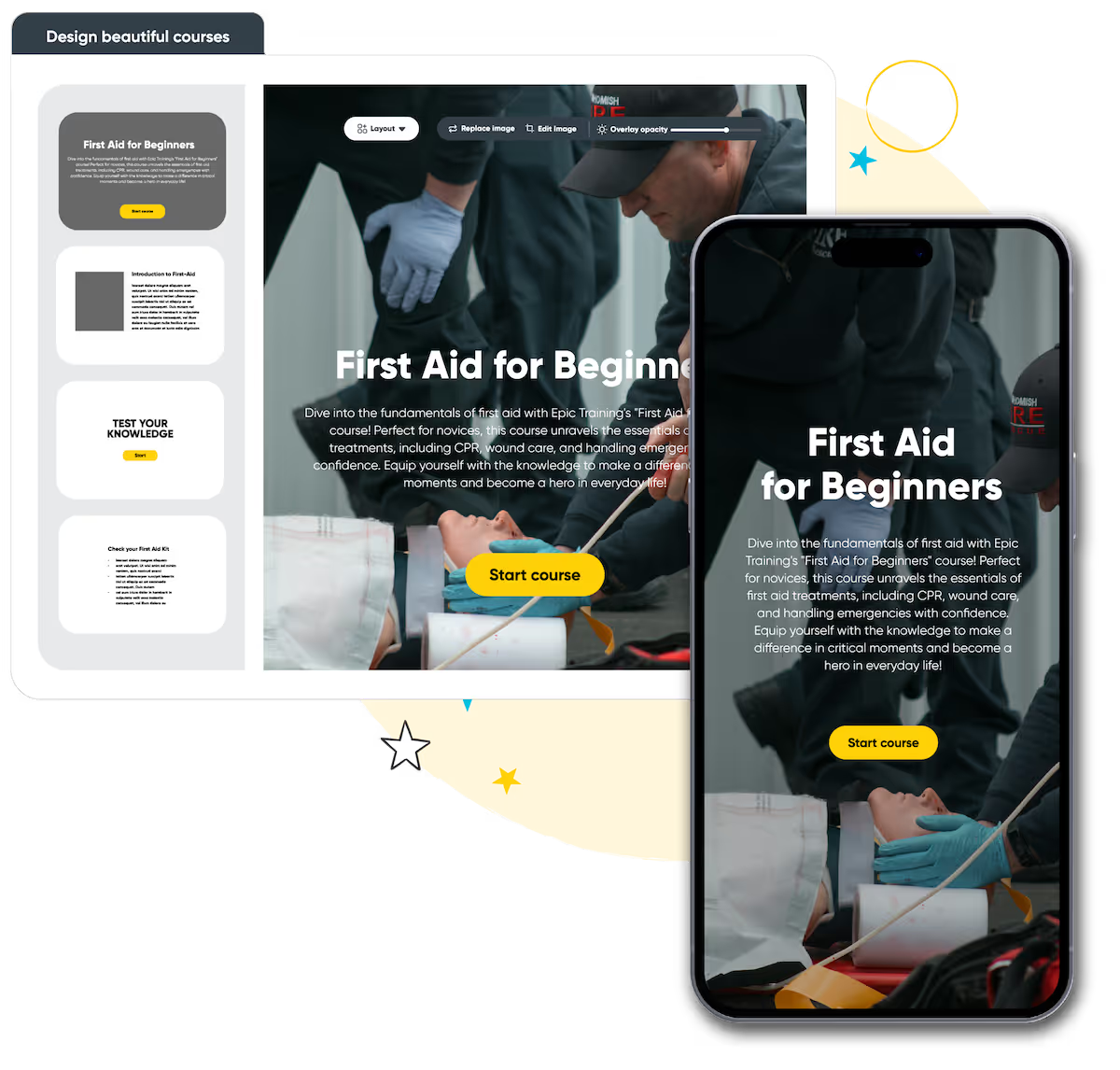
Build beautiful online courses with AI-powered workflows. Transform existing material, brand content your way, and deliver to learners with a self-service portal, seamlessly with your instructor-led training.
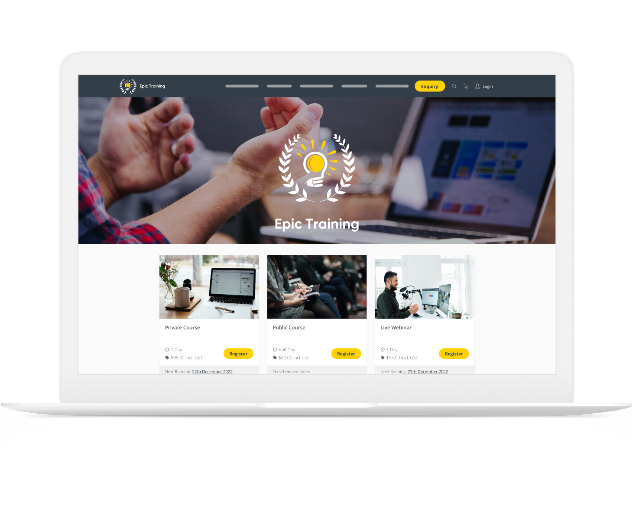
Get a modern website that’s always up to date, built to convert, and fully customizable. Course details, pricing, and changes update in real-time, providing a smooth & professional experience for your customers.
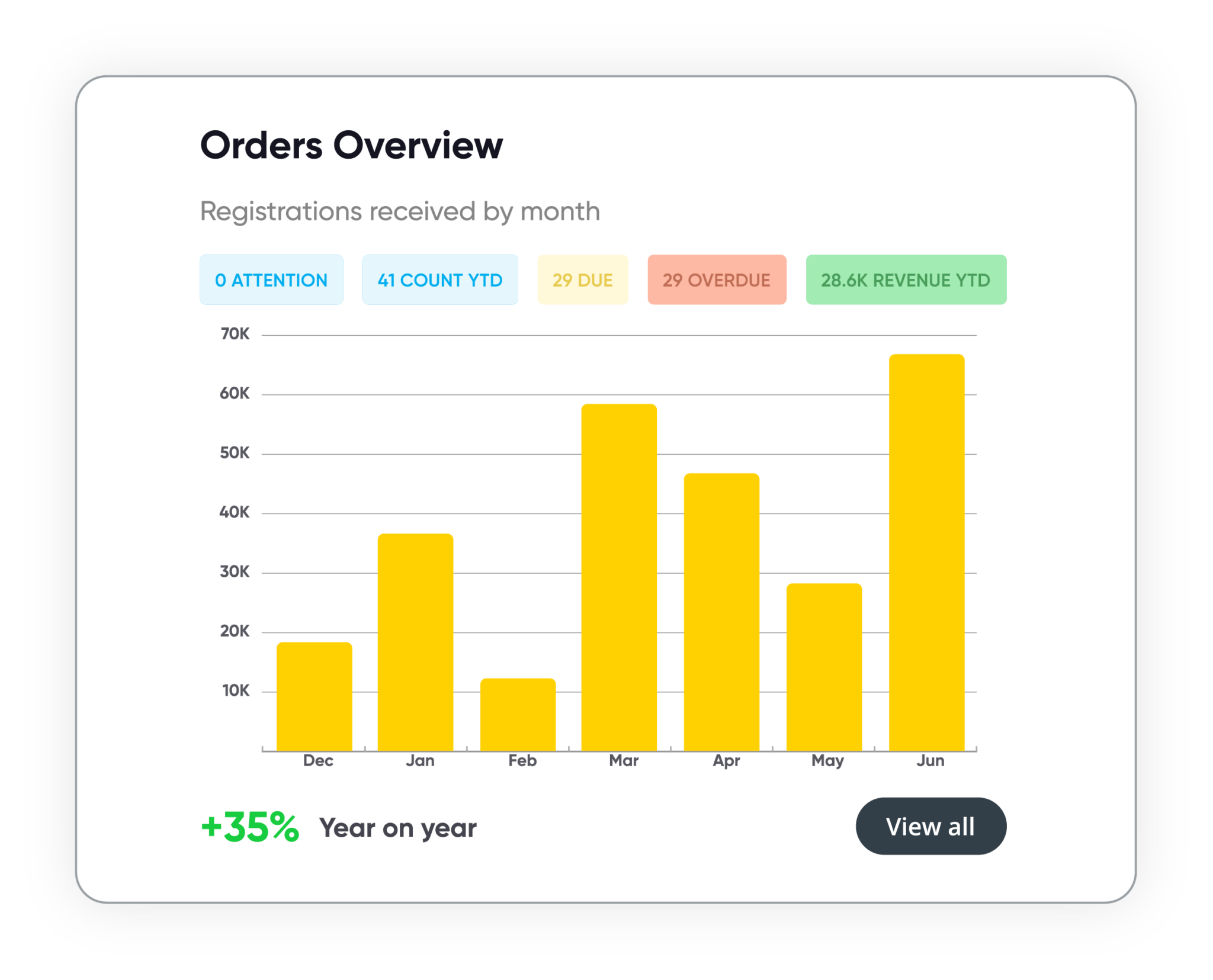
Track course performance, revenue, and customer activity in real time. Manage leads, accounts, and training history in one secure system. Build and schedule custom reports, share them with stakeholders, and more.
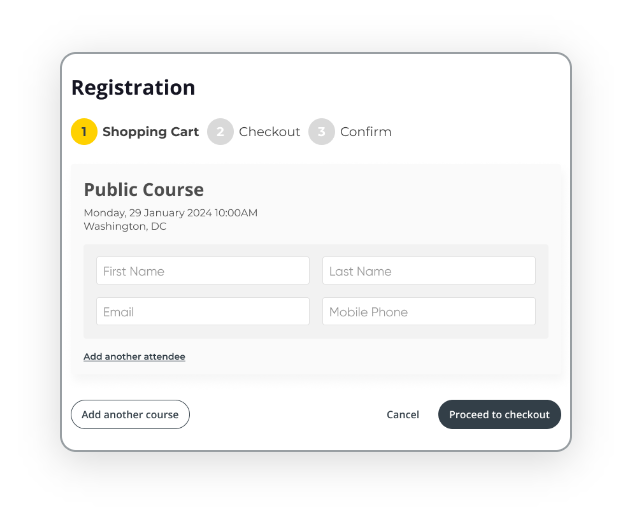
Automate every step of the registration process with smart forms, flexible payment options, and integrated invoicing. Apply discounts, waitlists, and custom rules to support every course type, public or private, paid or free.










We get training. With over 16+ years experience, our global team of experts are here to help you every step of the way.
Talk to our expert team