Continuous Education

Continuing Education Management Software

Training management system with a suite of features to meet the needs of continuing education. Power your university's short courses, professional development, and certificate programs from one platform.

Victoria University of Wellington logo with shield emblem and text including Maori name Te Herenga Waka.Logo celebrating 100 years of service from 1921 to 2021 for Graduate School USA featuring a stylized American flag.The University of Auckland Business School logo.University of British Columbia logo with shield containing a stylized open book and wavy lines.CQUniversity Australia logo.

Designed for continuing education and lifelong learning

Arlo is built to handle the operational complexity of continuing education units. Whether you’re running public CPD programs, internal staff development, or professional certifications, Arlo supports the workflows, integrations, and scale you need.

  • Serve multiple departments or colleges from a single system
  • Set user permissions and lock down system-wide settings
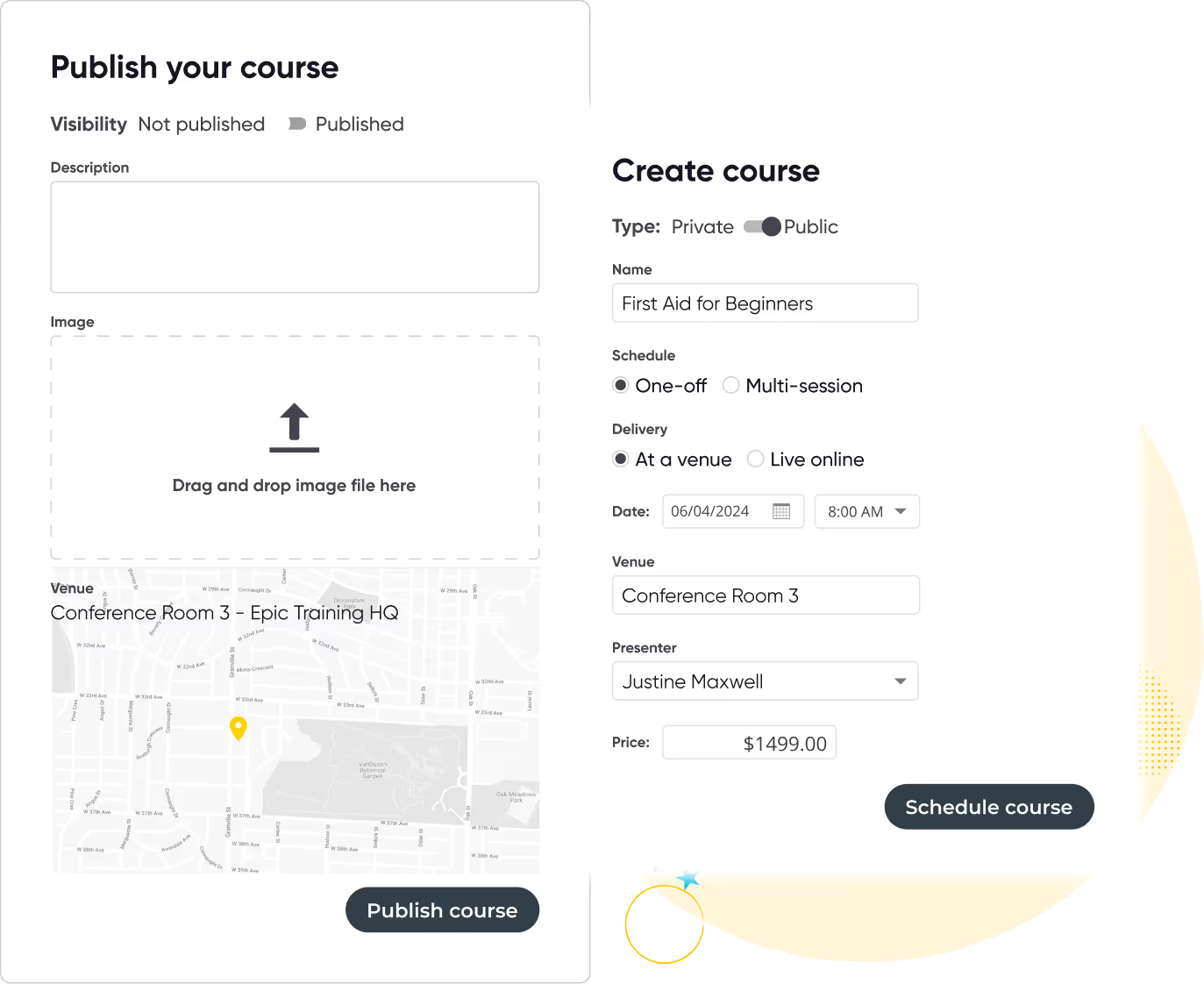
  • Offer public and private courses with distinct access and visibility rules
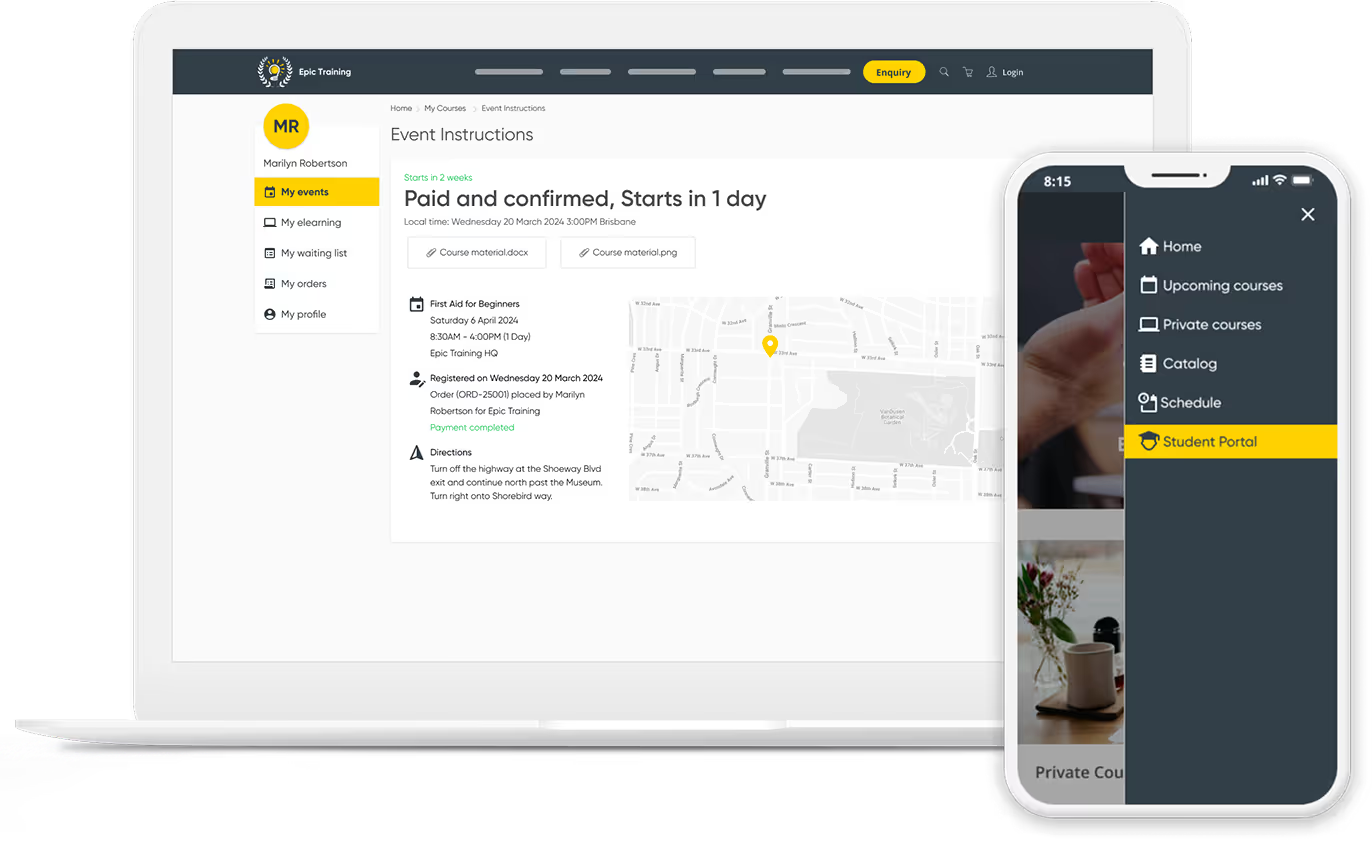
  • Provide registrants with a branded portal to manage training history, certificates and more
User interface showing two forms for creating and publishing a course titled 'First Aid for Beginners' with options for visibility, type, schedule, delivery, date, venue, presenter, price, and image upload.
Curved yellow line looping with white and black stars around the loop on a black background.
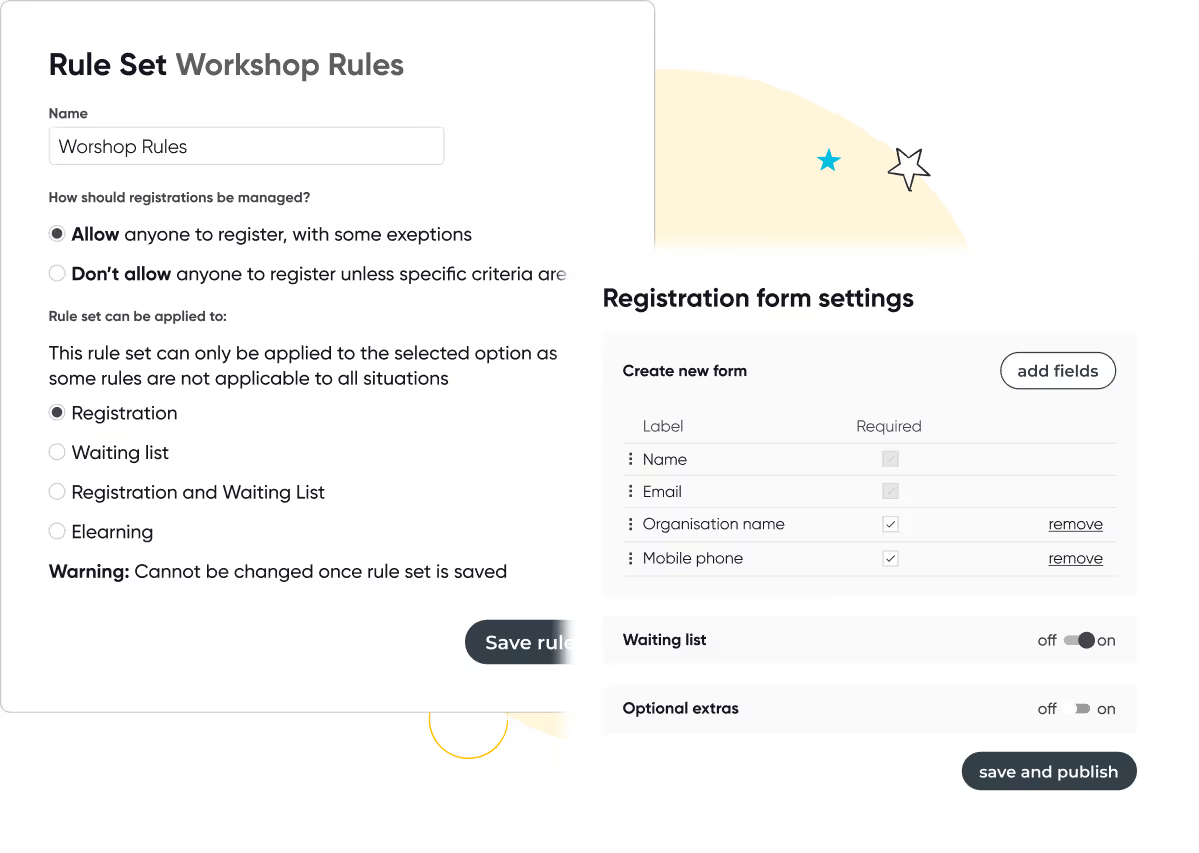
Screens showing workshop registration rules with options for managing registrations and rule applicability, and registration form settings with fields and toggles for waiting list and optional extras.

Powerful and customizable registration workflows

Handle open enrolments, invite-only programs, and application-based registrations with ease. Arlo’s flexible forms and business rules allow you to collect the right data and guide learners through the right process.

  • Offer public and private registration flows
  • Add custom fields, dropdowns, document uploads, and logic
  • Support waitlists, registration limits, multi-course bundles, and learning pathways
  • Allow multiple registrants and courses per order
Woman in professional attire raising hand during a business meeting with a presenter and two other attendees seated facing a whiteboard.

“If we didn’t have Arlo, we’d need to hire another admin. Instead, we’re investing that time and money into making our training better, designing new courses and growing the business."

Jeff, CEO
cLearn
Read case study

Department-level access and control

Support decentralized teams while maintaining consistency and control. Arlo gives you the flexibility to manage multiple colleges or units in one platform, without losing oversight.
  • Assign roles and restrict access per college or department
  • Lock core settings while allowing local course management
  • Share templates and central assets across teams
  • Maintain a single source of truth for course, learner, and financial data
Laptop and smartphone showing a self-service customer portal with event details, course materials, and navigation menu including Student Portal highlighted.
Curved yellow line looping with white and black stars around the loop on a black background.
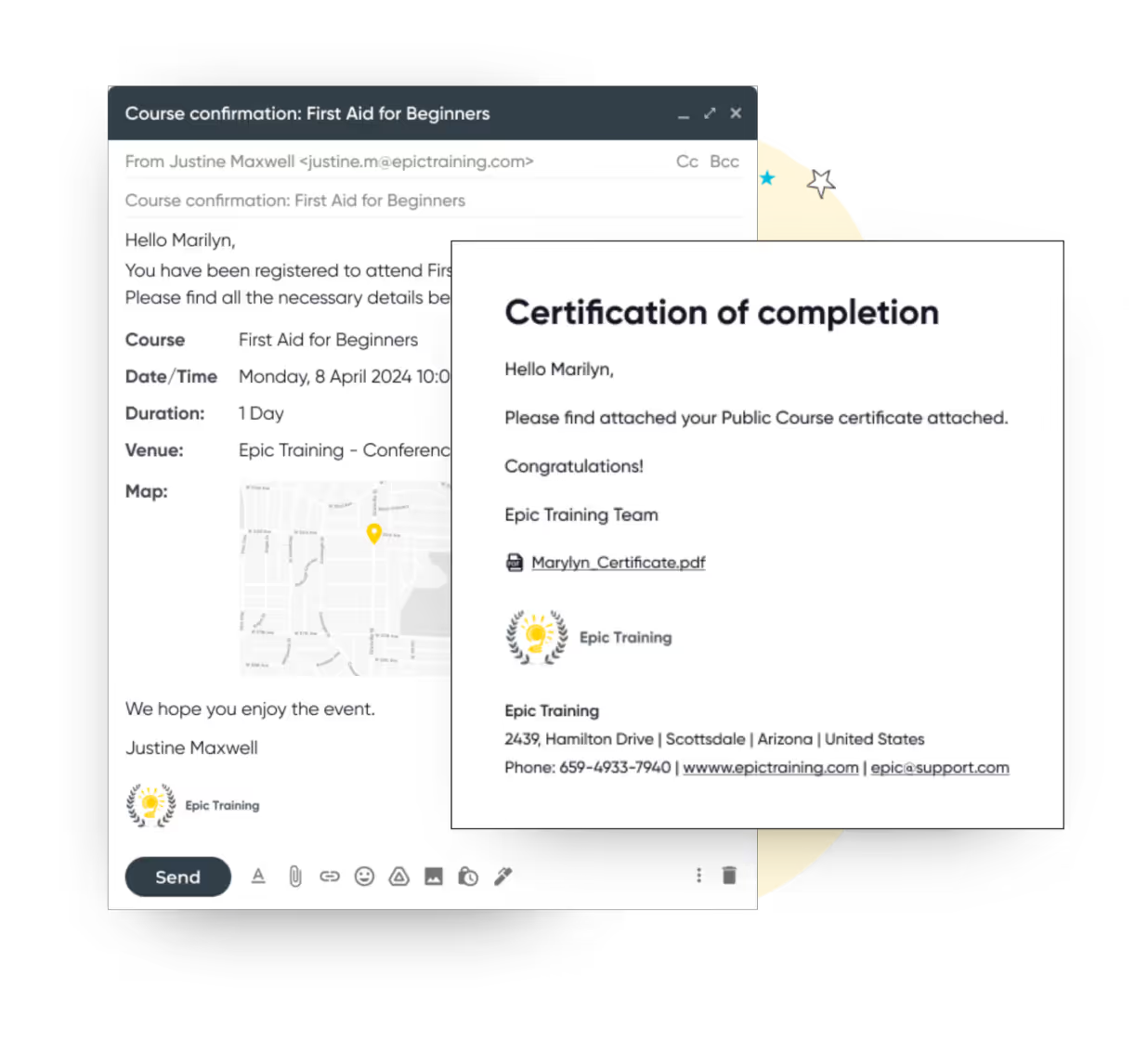
Email confirmation for a First Aid for Beginners course registration and a certificate of completion email with a PDF attachment from Epic Training.

Automated communications & certificate delivery

Save hours on manual admin with automated emails, surveys, and certificates. Whether you run face-to-face, online, or blended courses, Arlo takes care of the details.

  • Send calendar invites, reminders, follow-ups, and surveys automatically
  • View and manage historical, paid and unpaid orders
  • Offer flexible payment options such as credit card, invoice and bank transfer
  • Connect with your accounting system of choice, with QuickBooks or Xero integrations
Yellow swirling line with two white star shapes on a transparent background.

Flexible payment methods with accounting integration

Move away from disjointed payment gateways and tedious reconciliation. Arlo lets you manage paid registrations from checkout to invoice to receipt.

  • Accept credit card, invoice, and bank transfer payments
  • Integrate with Authorize.net, Stripe, PayPal, Windcave, and more
  • Automatically generate invoices and receipts
  • Push data to Xero, QuickBooks, and other accounting tools
Online registration checkout page showing payment details for order #2501, with credit card selected as payment method, subtotal $1349, tax $150, total $1499, and invoice details for Marilyn Robertson including billing address and approval status.
Curved yellow line looping with white and black stars around the loop on a black background.
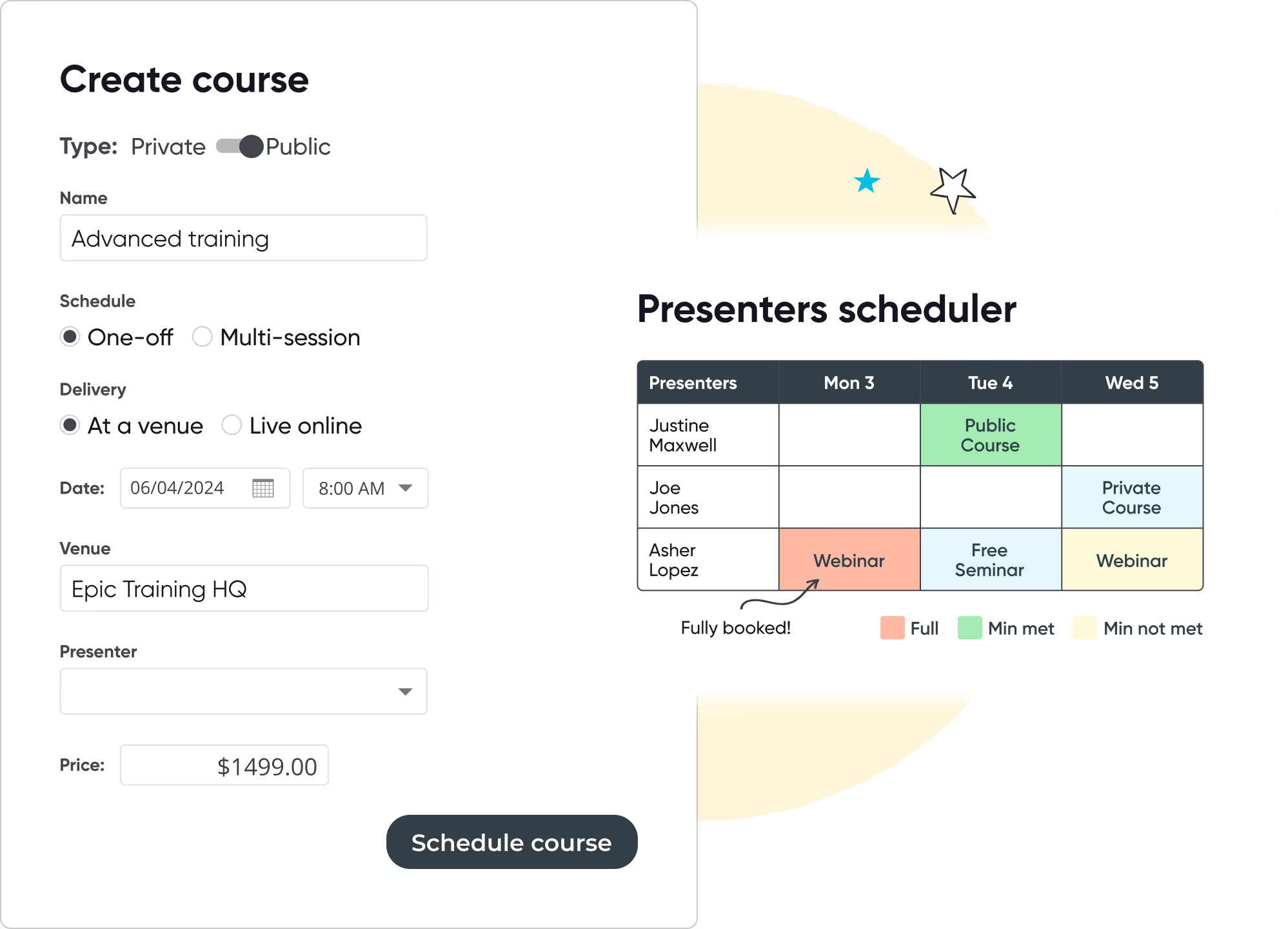
Course creation form showing options for public course 'Advanced training' scheduled as one-off at Epic Training HQ on 06/04/2024 at 8:00 AM with price $1499 and a presenters scheduler table indicating presenter availability and booking status.

Course, instructor & resource scheduling

Arlo manages all aspects of transfers, refunds, and cancellations for you. Built-in tools allow you to easily cancel or transfer registrations and automatically notify your customers of any changes.

  • Send calendar invites, reminders, follow-ups, and surveys automatically
  • Trigger certificates based on attendance, results, or survey completion
  • Brand your emails and certificates per department or program
375K
Courses scheduled
7.5M
People trained
9.7M
Hours of admin saved
100M
Emails sent
$3B
Worth of training sold

Ready to transform your instructor-led training?

Start your 14-day free trial now. No credit card required. Unlimited users.

Thanks, we will get back to you shortly.
Oops! Something went wrong while submitting the form.

Other features you will love

Run your training business like a pro with Arlo’s purpose-built training management software.

Icon of two documents with a yellow bar chart and a calculator with yellow display.

Track progress and compliance instantly

Automatically capture registrations, attendance, and certificates, no more chasing data. Build reports once, filter by region or manager, and schedule them to run when needed. Export to CSV, Excel, or Power BI with ease.

Connect to the systems you already use

Whether you’re using Microsoft, Salesforce, or a homegrown solution, Arlo connects seamlessly with your existing LMS, CRM, and communication tools. Link sessions to Zoom, Teams, or Webex in one click.

Computer monitor displaying a user profile icon with a yellow background.

Customer Self-Service Portal

Empower your learners with a branded portal to manage their registrations, view upcoming courses, access course materials, and download certificates — all with secure logins and autofill convenience.

Yellow and black megaphone icon.

Marketing & SEO Tools

Promote your live training effectively using Arlo’s built-in marketing features. Run targeted campaigns, offer discounts, optimize your website for SEO, and outrank competitors to drive more traffic and registrations.

Yellow gear icon symbolizing settings on a dark background.

Presenter Mobile Access for Attendance & Results

Give presenters mobile tools to mark attendance and record results directly from their phones. No chasing paperwork or manual entry, updates sync instantly to Arlo and can trigger automatic certificate issuance, saving admin time and improving accuracy.

Integrated Task Management for Pre & Post-Course Workflows

Create reusable task sets tied to course schedules and auto-assign them to staff with due-date logic. Team members are notified automatically, so you can manage logistics, from setup to follow-up, without relying on separate tools or emails.

Training Management System

Get the ultimate guide to training management systems

Running training courses? Access our Ultimate Guide to get the full breakdown of its strengths.

Read the guide

Continuing Education Management Software FAQs

Start 14-day trial
Can we run programs for multiple departments with one Arlo account?
Grey Dropdown Icon

Yes. You can assign different roles and permissions for each college, division or department, and control branding, course access, and visibility.

Can we support application-based registration flows?
Grey Dropdown Icon

Yes. Arlo allows you to set up application-only registration and manually or automatically approve applicants. You can also create conditional logic and pre-requisites.

Can Arlo issue certificates automatically?
Grey Dropdown Icon

Yes. Certificates can be triggered based on attendance, successful completion, or even post-course survey submission.

What payment methods does Arlo support?
Grey Dropdown Icon

Arlo integrates with secure payment gateways so you can accept a wide range of online payment methods directly through the Arlo checkout. Available options include:

  • Credit and debit cards — via Stripe, PayPal, Windcave, or Authorize.Net
  • Digital wallets — Google Pay and Apple Pay (via Stripe)
  • Buy now, pay later — Klarna and Afterpay/Clearpay (via Stripe, region restrictions apply)
  • Alternative methods — bank transfer and invoice payments
  • Refunds — full and partial credit card refunds can be processed directly in Arlo (Stripe and Windcave)

Supported payment gateways:

  • Stripe – Fast setup with no merchant account required; embedded checkout experience; supports refunds, wallet payments, and buy now/pay later.
  • PayPal – Express Checkout integration for online payments.
  • Windcave (PxPay 2.0) – Hosted or embedded payment pages with PCI compliance.
  • Authorize.Net – Best suited for USD payments; embedded checkout option.

For accounting, Arlo integrates with Xero, QuickBooks, and other tools to automatically push payment and reconciliation data.

Does Arlo support both paid & free courses?
Grey Dropdown Icon

Yes. Arlo supports a range of financial models so you can offer:

  • Paid courses — with flexible payment options including credit card, digital wallets, buy now/pay later, bank transfer, and invoice.
  • Free courses — with full registration tracking but no payment required.
  • By-invitation–only courses — control access with private links or restricted registration settings.

You can set the payment model at the course level, allowing different courses to have different pricing and payment options.

Let's chat training management

We get training. With over 16+ years experience, our global team of experts are here to help you every step of the way.

Talk to our expert team

Seven diverse people standing in a row, one holding a large yellow circle with 'arlo' written on it, with decorative stars and a 'POW!' graphic in the background.