Manage class scheduling, resourcing, logistics, elearning creation and more in one platform. Give your class the best experience with purpose-built workflows for online, in-person and blended training providers.





Create new classes in minutes and publish to your website with a click of a button. Templates pre-fill key information for quick scheduling of repeat classes that re-run on multiple dates and locations.
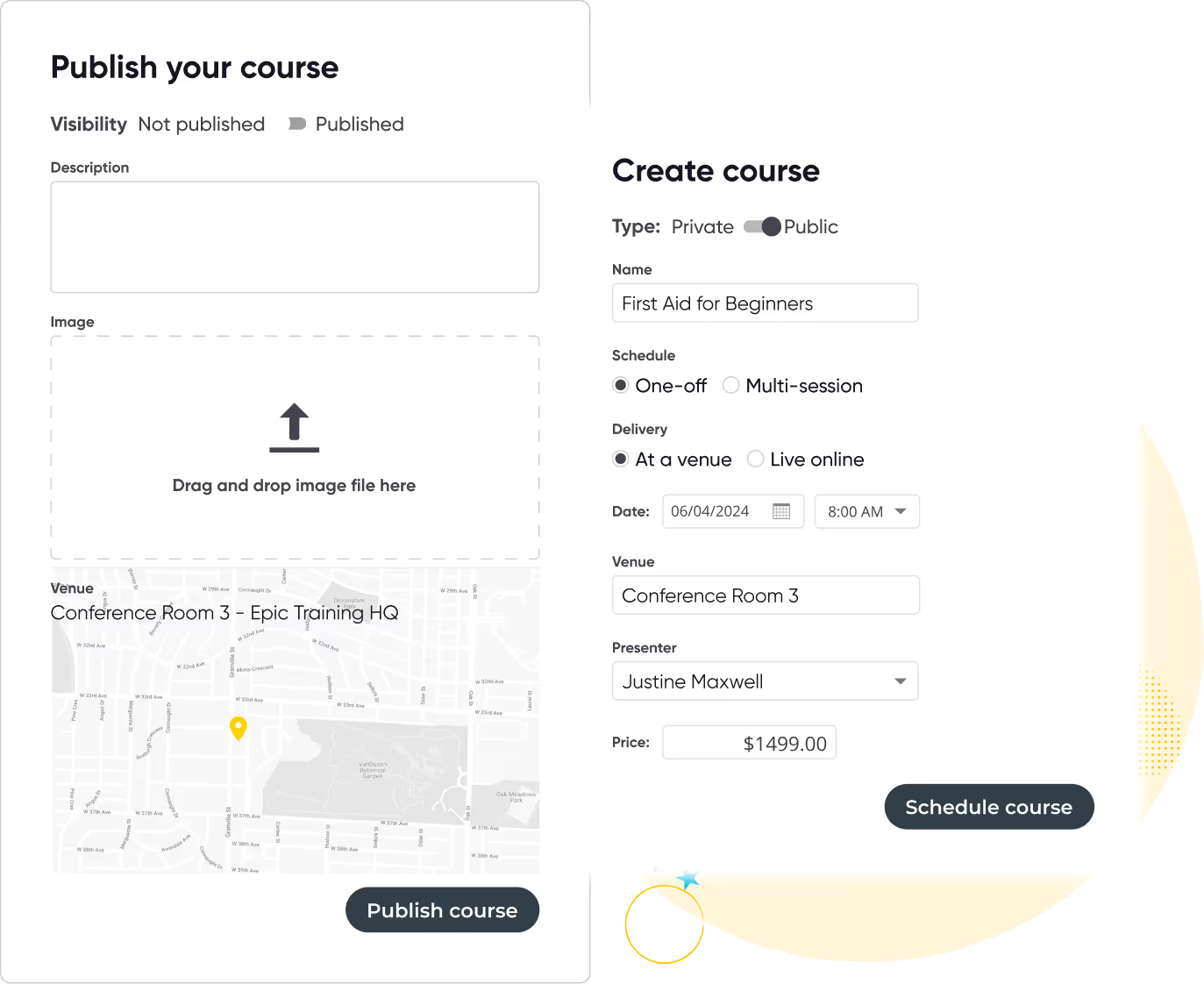

Simplify automate task management and get a complete view of upcoming classes, instructors, venues and more.

Deliver professional and timely emails to customers across the entire learner journey. Use pre-set email templates, apply fonts and colors, and customize content to suit your brand.
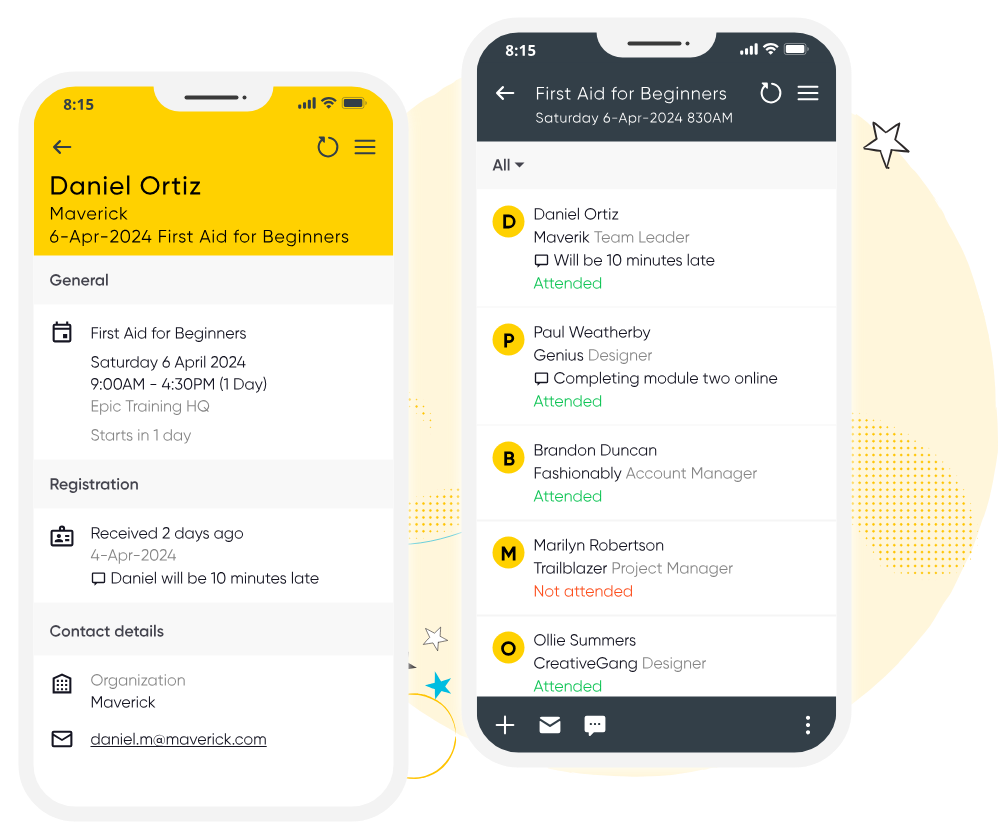
Ensure your class runs smoothly with Arlo for Mobile. Instructors can easily manage registrant details, record attendance, check payments and mark grades on the go. Without the messy paperwork.




Start your 14-day free trial now. No credit card required. Unlimited users.
These are just some of the features customers love about Arlo.

Automatically issue personalized certificates upon course completion and collect valuable feedback with surveys, helping you measure success and improve your offerings.

Track registrations, payments, course performance, and marketing effectiveness in one easy-to-use dashboard. Make data-driven decisions to grow your training business.

Empower your learners with a branded portal to manage their registrations, view upcoming courses, access course materials, and download certificates — all with secure logins and autofill convenience.

Promote your live training effectively using Arlo’s built-in marketing features. Run targeted campaigns, offer discounts, optimize your website for SEO, and outrank competitors to drive more traffic and registrations.

Give presenters mobile tools to mark attendance and record results directly from their phones. No chasing paperwork or manual entry, updates sync instantly to Arlo and can trigger automatic certificate issuance, saving admin time and improving accuracy.

Create reusable task sets tied to course schedules and auto-assign them to staff with due-date logic. Team members are notified automatically, so you can manage logistics, from setup to follow-up, without relying on separate tools or emails.
Compare the best training management systems for 2026. See features, pricing, and top tools for training providers.
Read the guideClass Scheduling Software is specifically designed for people who are in the business of selling and scheduling classes. More powerful and efficient than a maze of spreadsheets, more specialized to the things you need than generic event software.
Start 14-day trial
Class scheduling software (also known as a class scheduling system) is designed to streamline the process of organizing and managing classes, courses, workshops and other types of scheduled events.
Yes, while both manage class schedules, class scheduling software focuses on organizing and managing class schedules, while class booking/registration software emphasizes the booking process for participants – thankfully Arlo does both!
Class scheduling software includes calendar scheduling tools, customizable booking forms for your website, credit card payment facility and automating course management processes – such as reminder emails, waitlists and course transfers.
Arlo’s class scheduling software works with a variety of class formats:
Virtual classes – Hosting and managing engaging online classes should be as easy as delivering them. Set up single or multi-session virtual classes through Arlo
One-on-one classes – Personalize learning experiences by setting up classes with individual sessions tailored to the needs of your students
Multi-session classes – Create multi-session courses where sessions can vary in delivery method (venue or live online)
Small group sessions – Organize small group classes in a variety of formats where participants can engage more closely with the instructor and each other
eLearning modules – Arlo integrates with leading LMS platforms so you can offer flexible self-paced courses that participants can access at any time
We get training. With over 16+ years experience, our global team of experts are here to help you every step of the way.
Talk to our expert team