Learn how to create SCORM content step by step. This guide walks you through how to build, package, and deliver SCORM courses and explores when modern elearning modules are a faster, simpler alternative.
SCORM content is still one of the most common ways to package elearning. If you’ve ever downloaded a course as a ZIP file and uploaded it to an LMS or TMS, you’ve probably handled a SCORM package.
But while SCORM is widely used, it’s also widely misunderstood. Many teams struggle with questions like: Which SCORM version should I use? Why won’t my course report completion? And do I really need SCORM for every type of elearning I create?
In this guide, you’ll learn exactly how to create SCORM content, step by step – from choosing the right course format and authoring tool, to publishing, uploading, and avoiding the most common SCORM mistakes. We’ll also explain the differences between SCORM 1.2 and SCORM 2004, and what really matters when configuring tracking and reporting.
And because many training teams are trying to move faster than traditional SCORM workflows allow, we’ll also explore how modern elearning teams combine SCORM and non-SCORM content, when it makes sense to use native elearning modules instead, and how platforms like Arlo support both approaches in one place.
What is SCORM content?
SCORM (Sharable Content Object Reference Model) is a set of specifications designed to help elearning content work across different systems – so content created in one tool can be delivered in many SCORM-conformant LMSs.
SCORM is a packaging/tracking standard, not an authoring method. You don’t “write SCORM” from scratch in most cases – you create learning content, then export/publish it as a SCORM package.
Most SCORM content is delivered as a ZIP package that contains your course files plus a critical “map” file called imsmanifest.xml. The LMS reads the manifest to understand the structure of the course and how to launch it.
To create a SCORM package, you typically need:
- An authoring tool (where you build the course)
- A SCORM publishing option (usually inside the authoring tool)
- A way to test your SCORM package before uploading to your hosting and delivery platform
- A TMS, LMS or other delivery platform to host the SCORM and track results
Step-by-step: how to create SCORM content
Step 1: Choose your course format (simple first)
Before you open any tool, decide what you’re building:
- Slide-based module (common for compliance training)
- Scenario-based interactive module (branching, decision points)
- Assessment-heavy course (graded quiz + completion rules)
- Microlearning (short bursts, usually better as modern native modules)
This matters because it affects whether SCORM is truly necessary—or whether a modern authoring approach will ship faster (we’ll cover that later).
Step 2: Pick an authoring tool that can publish SCORM
Most teams create SCORM in “rapid authoring” tools that publish SCORM 1.2 or SCORM 2004.
What to look for:
- Publishes SCORM 1.2 and/or SCORM 2004
- Lets you set tracking (completion, quiz score, time)
- Outputs a single ZIP package ready for upload
- Produces HTML5-friendly output for modern browsers/devices
If your learners are mostly on mobile, pay extra attention to how your chosen tool handles responsive design and media sizes.
Step 3: Build your learning content (focus on tracking moments)
As you build, identify the points your LMS should track:
- When does the learner complete the course?
- Is it completion by: reaching the end, viewing all slides, passing a quiz, or achieving a score threshold?
- Do you need: quiz score, completion status, time spent, bookmarking/resume?
SCORM can track these basics reliably (especially completion/bookmarking), but it’s not designed to capture every modern learning interaction across apps and contexts.
Step 4: Set SCORM reporting and tracking options
SCORM 1.2 vs SCORM 2004 – how to choose
In practice SCORM 1.2 is still extremely common because it’s widely supported. SCORM 2004 adds more advanced sequencing/navigation concepts (often unnecessary for simple linear courses). Most LMSs support SCORM, but not all support every SCORM 2004 edition – always check platform compatibility before publishing. If you’re unsure what your platform supports, SCORM 1.2 is usually the safest choice.
Common tracking settings to configure:
- Completion rule (e.g., “complete when user reaches end” or “complete when quiz passed”)
- Passing score (if graded)
- Reporting status (completed/incomplete, passed/failed)
- Launch behavior (new window vs same window)
- Resume/bookmarking behavior
- These settings determine what your LMS sees – and most “SCORM problems” come down to a mismatch here.
Step 5: Publish/export your SCORM package (ZIP)
When you publish as SCORM, the tool will generate a ZIP file.
Inside that ZIP is the course content plus the imsmanifest.xml file in the root of the package. This is essential: if the manifest is missing or buried inside subfolders, many LMSs will fail to import it correctly.
Quick check (takes 10 seconds): Open the ZIP and confirm you can immediately see imsmanifest.xml without clicking into any folders.
At this stage, many teams also pause to ask: does this content really need to be SCORM?
For simple knowledge checks, updates, or internal training, modern elearning authoring tools can often create and publish learning experiences much faster – without the overhead of packaging and republishing ZIP files every time something changes. We’ll cover other elearning content creation options and tools shortly.
Step 6: Upload to your hosting and delivery platform
Upload your SCORM package to your hosting and delivery platform (such as your LMS or TMS) and run a real learner test.
- Enroll a test learner
- Complete the course in the LMS
- Confirm the LMS records: completion, pass/fail, score, and time (if needed)

Common SCORM mistakes to avoid
- Uploading an unzipped package instead of the ZIP file
- Choosing a SCORM 2004 edition the LMS doesn’t fully support
- Setting completion rules that never trigger
- Republishing content without version control
Most SCORM issues aren’t caused by the content itsel, but by mismatches between publishing settings and LMS expectations.
Creating elearning content beyond SCORM
SCORM is useful for interoperability and basic tracking, but it can be slower to produce – especially when every update requires republishing and re-uploading a ZIP package.
A lot of people who search “how to create SCORM content” are really searching for something bigger: how to create online learning that’s easy to build, easy to update, easy to deliver and offers a great learning experience.
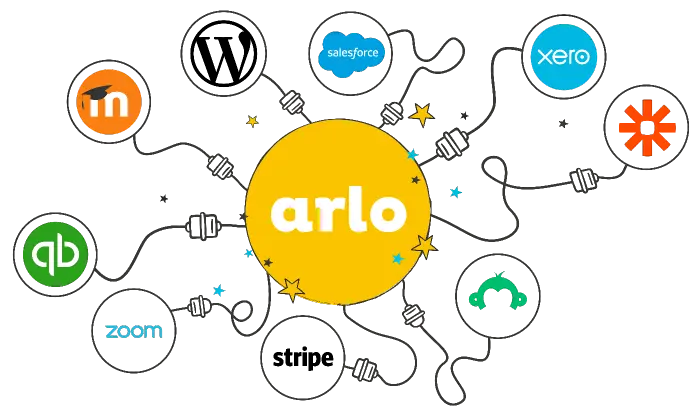
SCORM is still useful – but a growing share of elearning today is delivered as web-native modules (videos, quizzes, microlearning, assignments, scenario activities) built directly inside modern platforms, rather than packaged as a SCORM ZIP every time you make a change. Platforms like Arlo explicitly support both approaches: you can import, host and deliver SCORM and create new elearning modules quickly as part of a blended learning experience.
Ready to take your training to the next level?
Inside the Ultimate Guide to Training Management Systems, explore how world-class training businesses streamline operations, deliver exceptional learner experiences, and scale with confidence.
If not SCORM, what are the main options?
Option A: Native elearning modules (built-in authoring + delivery)
This is the “modern, fast” path: create content directly in the platform you deliver it from so updates are easier and you can mix formats (readings, quizzes, microlearning, assignments, videos).
Arlo supports creating and delivering online course material like pre-reading, microlearning, assignments, quizzes, videos with a responsive learner experience, and it also has an AI-powered course builder designed to generate or transform content quickly.

Option B: xAPI (Experience API)
If you need richer analytics across systems, xAPI is designed to collect learning records from many technologies and contexts.
The trade-off is that it can require more planning and infrastructure (often an LRS) to get full value.
Option C: cmi5 (structured xAPI for LMS-style courses)
cmi5 is an xAPI profile that adds rules for importing, launching, and tracking courses in an LMS—often described as a bridge between SCORM’s “plug-and-play course” approach and xAPI’s flexibility.
Pros and Cons of SCORM content
SCORM is best for:
- Portability across many LMSs
- Standard completion + score tracking
- Third-party SCORM libraries
SCORM trade-offs:
- ZIP packaging + republish cycles for updates
- Limited data model compared to xAPI
- Can be less ideal for modern/mobile/offline-first journeys
When SCORM is often not the best fit:
- You’re shipping lots of small updates and want faster iteration
- You want to track learning beyond completion/score (practice, coaching, offline, performance tasks)
- You’re building short microlearning modules and don’t want ZIP lifecycle overhead
If not SCORM, what are the main options?
- Native elearning modules (built-in authoring, hosting and delivery)
- xAPI (Experience API)
- cmi5 (structured xAPI for LMS-style courses)
Native elearning modules (built-in authoring, hosting and delivery) are a top option for training providers in 2026 because they are modern and fast. You can create content directly in the platform you deliver it from so updates are easier. You can mix formats (readings, quizzes, microlearning, assignments, videos), with a responsive learner experience, and tools like Arlo also have an AI-powered course builder designed to generate or transform content quickly.
Key takeaway: Use SCORM when you need interoperability. Use modern native modules when you need speed and manage/deliver a mix of learning (instructor-led training, virtual, live online, on-demand, blended learning) in one place.
Arlo: a practical way to manage SCORM and modern elearning in one place
If your goal is to create SCORM content, you’ll typically need two things: a way to package and publish content (authoring), and a way to host, deliver, and report on it (LMS or TMS).
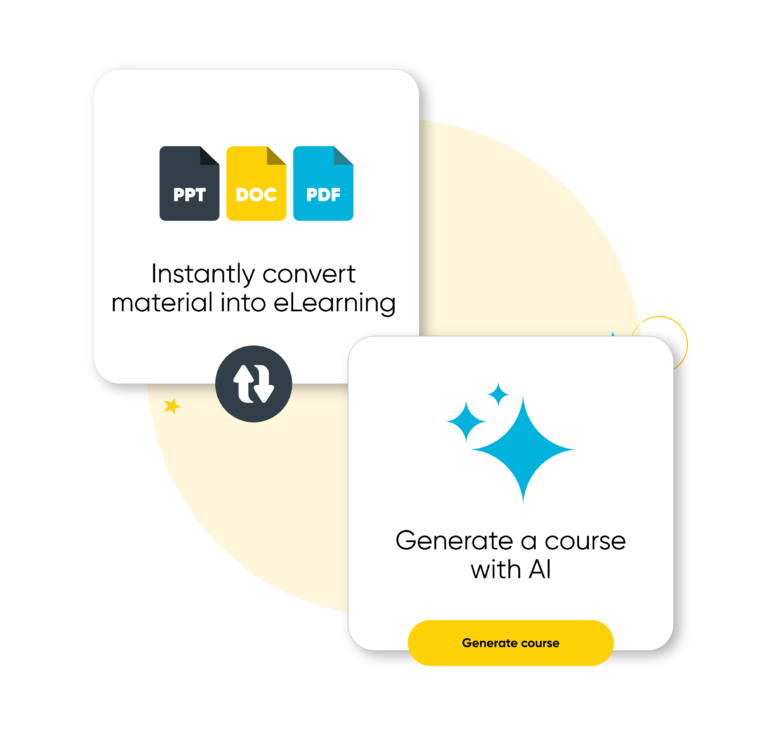
Arlo is designed for training providers who want to do both sides of that equation – especially if you’re juggling in-person, live online, blended, and self-paced delivery. It supports SCORM import and delivery, and it also lets you create web-native elearning modules quickly – including AI-assisted creation and document-to-course conversion, so you don’t have to force everything into SCORM ZIP workflows.
Where Arlo fits in a SCORM workflow:
- Import and deliver your SCORM library so existing content keeps working and continues to deliver value
- Blend SCORM with instructor-led training to create cohesive learning journeys instead of isolated modules
- Provide learners with a branded self-service portal to access courses, resume progress, and see results in one place
- Track key outcomes like completions, scores, time spent, and learner activity without stitching together reports
- Keep content current with versioning and preview tools, reducing the risk of outdated courses being delivered
Arlo isn’t a traditional SCORM authoring tool, and that’s intentional. Instead, it focuses on making SCORM content easy to deliver, manage, and report on, while giving you faster, more flexible ways to create new elearning without relying on SCORM for everything.

Creating elearning in Arlo beyond SCORM
Arlo’s elearning authoring features are aimed at helping teams build and update content faster, without always needing to publish and re-upload SCORM packages.
In practice, this means teams can keep using SCORM where it makes sense, such as vendor content or compliance modules, while creating new elearning natively for onboarding, updates, or short learning bursts that change frequently.
To support faster content creation, Arlo offers multiple ways to build elearning depending on how much time and source material you have.
There are three main ways to create content:
- Start from scratch in a drag-and-drop course builder
- Convert an existing document into a course (including Word docs, PDFs, and PowerPoints), choosing whether to keep content word-for-word, summarize it, or mix both
- Generate a course with AI from a prompt, then edit and refine it with your expertise
Once created, you can build a variety of elearning elements – like pre-reading, microlearning, assignments, quizzes, videos, scenario-based learning, and more – then deliver them as standalone modules or attach them to a blended learning or multi-session course.
The result is a practical balance: keep SCORM for interoperability and existing libraries, and use modern elearning authoring when speed, simplicity, and flexibility matter – without managing multiple disconnected systems.

Final thoughts
SCORM remains a reliable way to package elearning – especially when interoperability, standardized tracking, or third-party course libraries matter. If you need content that works across multiple LMSs and reports completion and scores consistently, SCORM is still a solid choice.
But SCORM isn’t the only way to create effective elearning.
Many training teams now combine SCORM packages with modern, web-native elearning modules to move faster, update content more easily, and deliver better learning experiences. The key is choosing the right approach for each use case rather than forcing everything into a single format.
In practice:
- Use SCORM when you need portability and standard reporting
- Use native elearning modules when you need speed, flexibility, and easier updates
- Deliver and manage both in one platform like Arlo to keep your learning ecosystem simple
That blended approach lets you keep what already works, while building future-ready elearning that’s faster to create and easier to maintain.
See Arlo in action
Schedule a personalized demo with our expert team and see how Arlo can automate all your training admin, so you can spend more time delivering great learning experiences.